
Off-the-shelf resource management software offers a readily available solution — but one that is frequently over-engineered for needs you do not have and under-configured for the processes that actually matter to your organisation. You pay for features you will never use while working around the limitations of features that do not quite match your resource hierarchy, your approval process, or your reporting requirements.
No-code and low-code platforms have changed this equation entirely. In 2026, building a custom resource management system that precisely reflects how your organisation allocates people, budget, equipment, and time no longer requires a development team, a six-month implementation project, or a seven-figure software budget. It requires the right platform and the right process knowledge — both of which your operations team already has.
Modern no-code platforms for resource management systems enable organisations to create tailored workflows, automate approvals, track utilisation, manage workforce allocation, and generate real-time reports without depending heavily on IT teams. Instead of adapting your business around rigid software, these platforms allow the software to adapt around your business processes.
This flexibility is especially valuable for growing businesses managing evolving teams, distributed operations, project-based work, and changing compliance requirements. From employee allocation and leave management to budgeting and equipment tracking, no-code resource management systems help organisations improve visibility, reduce operational bottlenecks, and scale processes faster with significantly lower implementation costs.
$44.5B projected low-code development platform market by 2026, growing at 19% CAGR — reflecting enterprise investment in building custom operational systems without traditional development overhead.
Source: CatDoes Low-Code Platforms Report
75% of new enterprise applications will be built using low-code or no-code tools in 2026, up from 40% in 2021 — a fundamental shift in how organisations build operational software.
Source: Gartner, cited by CatDoes
70% fewer IT resources consumed by no-code solutions for development and deployment compared to conventional coding — making custom RMS accessible to organisations without large IT teams.
Source: WeWeb No-Code Platforms Guide
Also Read: Project Management Strategy: Discover the 5 Keys for Success
Why Build a Custom Resource Management System Instead of Buying One?
The case for custom over off-the-shelf is not philosophical — it is practical. It comes down to three operational realities that affect every organisation trying to manage resources effectively at scale.
Reality 1 — Your resource structure is unique
Your organisation’s resource hierarchy — how projects are initiated, how resources are requested, who approves allocation at which thresholds, how conflicts are resolved, how utilisation is reported — reflects decisions made by your leadership over years of operational experience. No software vendor has encoded that structure into their product because they built their product for the generic case. A custom RMS encodes your actual structure into the software, not the other way around.
Reality 2 — Off-the-shelf RMS creates adoption resistance
When resource managers and project leads are asked to adapt their processes to fit a software tool, adoption suffers. Research shows approximately 40% of business managers cite lack of customisation as a challenge with pre-built tools. The friction is not laziness — it is the legitimate operational reality that the tool does not match how the work actually gets done. Custom-built RMS eliminates this friction because the people who will use it daily have a say in how it works.
Reality 3 — Integration is everything
A resource management system that cannot connect to your existing ERP, HRMS, project management tools, and financial systems creates data silos that make the resource data less reliable than what the team already knows from working together daily. Custom-built RMS on an open-API platform integrates with every system in your existing stack from day one.
| Factor | Off-the-Shelf RMS | Custom-Built RMS (No-Code) |
|---|---|---|
| Process fit | You adapt your processes to the software’s model | Software is built around your exact processes |
| Implementation time | 3–12 months for enterprise deployment | Days to weeks for first workflows live |
| Change management | Vendor release cycle — changes take months | Operations team modifies workflows in hours |
| Integration complexity | Pre-built connectors to vendor’s supported list | Open API to any system in your stack |
| Cost model | Per-user licensing regardless of utilisation | Platform fee — unlimited workflows and applications |
| Excess features | Features you pay for but will never use | Exactly the features your processes require |
| IT dependency | Every change requires IT or vendor involvement | Operations team builds and modifies independently |
Also Read: What is Workflow Automation? 7 Powerful Ways It Transforms Business Operations
What to Look For in a No-Code Platform for RMS
Not all no-code platforms are equally suited to building resource management systems. Before evaluating specific platforms, establish your evaluation criteria against these six dimensions that determine whether a platform can handle enterprise RMS requirements.
| Evaluation Criterion | Why It Matters for RMS | What to Look For |
|---|---|---|
| Workflow complexity handling | Resource management involves multi-step approval chains, conditional routing by resource type and threshold, and parallel processing across departments | Visual workflow builder supporting sequential, parallel, and conditional routing without code |
| Data modelling flexibility | RMS requires custom data structures for resources, projects, skills, availability, and utilisation — not a fixed schema | Flexible form builder with 30+ field types, relational data support, and custom validation rules |
| Real-time dashboards | Resource managers need live visibility into allocation, utilisation, availability, and capacity — not weekly compiled reports | Custom dashboard builder with live data from all workflows, multiple chart types, and role-based views |
| System integrations | RMS must connect to HRMS, ERP, project management, and financial systems without creating data silos | Open REST API, native connectors, and Zapier support for 3,000+ third-party systems |
| Enterprise security | Resource data includes sensitive staffing, compensation, and capacity information requiring field-level access control | Role-based access control at field level, data encryption, audit logging, ISO 27001 or SOC 2 certification |
| Mobile access | Project managers and resource requesters need to action approvals and view availability from any device | Native iOS and Android apps with offline capability — critical for field operations and distributed teams |
Top Low-Code No-Code Platforms for Resource Management System
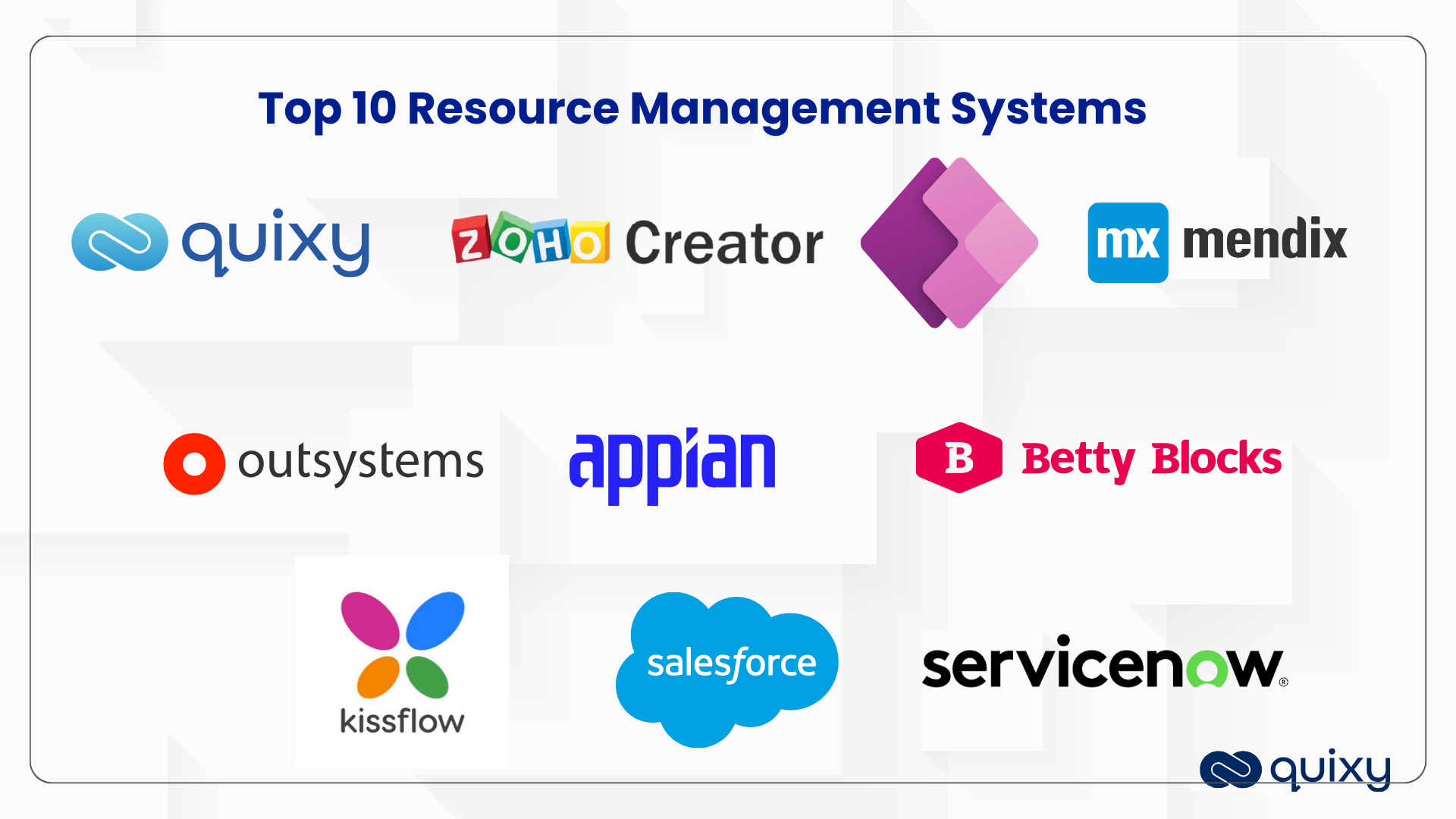
These 10 platforms represent the leading options for building custom resource management systems in 2026. Each entry covers what the platform does, who it is best suited for, its key differentiator for RMS use cases, and its most significant limitation — so you can match the platform to your specific requirements rather than choosing based on brand recognition alone.
Quixy
What it is: Quixy is an aPaaS (Application Platform as a Service) — not a standard SaaS platform with fixed templates. It gives operations teams the environment to build custom resource management applications configured precisely to their workflows, approval chains, and reporting requirements, without writing code.
Key RMS capabilities: Quixy’s visual workflow builder handles multi-step resource allocation approval chains — configuring routing by resource type, project value, department, and any custom threshold without developer involvement. The form builder with 40+ field types captures any resource data structure your organisation requires. Custom dashboards update in real time as resource requests, approvals, and allocations flow through workflows. Caddie AI generates on-demand resource utilisation and availability reports through natural language queries — without manual data compilation. Offline mobile capability ensures field teams and remote project managers can submit and action resource requests without internet connectivity.
Best for: Mid-to-large enterprises with complex resource hierarchies, multi-department allocation processes, regulated industries requiring audit trails on every resource decision, and organisations managing human resources, equipment, and budget allocation within one unified system.
Differentiator for RMS: Quixy’s aPaaS architecture means the resource management system adapts to your processes — not the other way around. Where standard platforms give you templates to configure within vendor-defined boundaries, Quixy gives you the complete application development environment to build exactly what your resource management requires. CMMI Level 3 + ISO 27001 certification provides the enterprise security assurance that sensitive resource and staffing data demands.
Limitation: The power of full customisation means initial setup requires thorough process mapping. Teams that have not documented their resource management workflows may spend more time in the design phase than on simpler template-based platforms. The payoff is a system that actually matches operational reality — but the input requirement is higher than plug-and-play alternatives.
Pricing: Transparent usage-based pricing. Contact Quixy for enterprise plan details.
G2 Rating: Leader in BPM and DPA 2026 — three consecutive years in Gartner Peer Insights “Voice of the Customer” report.

Zoho Creator
What it is: Zoho Creator is a versatile low-code platform that enables rapid custom application development with web, mobile, and tablet support simultaneously. Part of the broader Zoho product suite.
Key RMS capabilities: Drag-and-drop interface for building custom resource management forms and workflows. AI-powered app building assists with workflow design. Application lifecycle management from concept to deployment. Integration flows connect to other Zoho products natively.
Best for: Organisations already using Zoho CRM, Zoho Projects, or other Zoho products who want to build a resource management application that connects natively to their existing Zoho stack without additional integration work.
Differentiator for RMS: Native connectivity to Zoho’s full product ecosystem — if your project management is already in Zoho Projects and your CRM is Zoho CRM, a Zoho Creator RMS shares data natively across all three without API configuration.
Limitation: Best value when already in the Zoho ecosystem. For organisations using non-Zoho systems as their core stack, the native integration advantage disappears and other platforms may be better suited.
Pricing: Standard from $8/user/month. Professional from $20/user/month. Enterprise from $25/user/month. 15-day free trial available.
Also Read: Inventory Management Software System
Microsoft Power Apps
What it is: Microsoft power apps leading low-code platform deeply integrated with the Microsoft ecosystem — Office 365, Dynamics 365, Teams, SharePoint, and Azure. Supports canvas apps, model-driven apps, and portals.
Key RMS capabilities: Prebuilt connectors to 900+ data sources. AI Copilot assists with app design and data insights. Canvas apps for custom resource request forms. Model-driven apps for complex data-driven resource management. Robust governance tools for enterprise-scale application management.
Best for: Enterprises standardised on the Microsoft technology stack where resource data already lives in SharePoint, Teams, or Dynamics 365. The integration advantage is most significant when the data and collaboration already happen within Microsoft products.
Differentiator for RMS: The Microsoft 365 integration means resource availability data, project timelines from Planner, and team capacity from Teams are all accessible within the RMS without building custom connectors. For Microsoft-first organisations, this removes the biggest integration challenge before any custom development begins.
Limitation: Governance and licensing complexity in large enterprise deployments. Canvas apps can become difficult to maintain at scale without disciplined development standards. Teams without prior Microsoft Power Platform experience face a steeper learning curve than marketing materials suggest.
Pricing: Free Developer Plan. Premium from $20/user/month.
Mendix
What it is: Mendix is an enterprise-grade low-code platform prioritising scalability, security, and collaboration between business and IT teams. Offers both cloud and on-premise deployment.
Key RMS capabilities: Dual IDE environment — App Studio for business users, Studio Pro for developers — allowing the same application to be worked on by both citizen developers and professional developers simultaneously. Maia AI assistant generates complete application components from text descriptions. Full-stack development with built-in DevSecOps.
Best for: Large enterprises where the RMS will be built collaboratively by business analysts who understand the resource management requirements and IT architects who manage security and integration. The dual IDE model is specifically designed for this collaboration pattern.
Differentiator for RMS: The business-IT collaboration model means resource management experts design the process logic while IT architects manage the technical implementation — in the same platform, on the same application, without handoff friction.
Limitation: More technically demanding than pure no-code platforms. The full power of Mendix requires IT involvement — organisations wanting pure citizen developer ownership of their RMS may find the platform heavier than needed. Cloud and on-premise deployment options are valuable for regulated industries but add configuration complexity.
Pricing: Free tier available. Paid plans scale by users, apps, and deployment requirements.
Nearly half of all employees (45%) experience burnout due to ongoing organizational changes.
OutSystems
What it is: Outsystems is a leading low-code platform designed for enterprise-scale web and mobile applications. Combines visual development with AI-powered assistance, built-in DevSecOps, and full lifecycle management.
Key RMS capabilities: Full-stack development environment with AI-assisted coding. Native mobile output for iOS and Android. 400+ integration assets for complex enterprise stacks. Enterprise governance tools with SOC 2 Type II and HIPAA compliance. On-premise deployment available for regulated industries with strict data residency requirements.
Best for: Large enterprises building mission-critical resource management systems that will serve thousands of users, integrate with complex legacy systems, and require the most rigorous security and compliance certification available in the no-code/low-code market.
Differentiator for RMS: The most capable platform on this list for genuinely complex enterprise applications. Where other platforms reach their limits at a certain complexity threshold, OutSystems handles it. The enterprise governance tools are specifically designed for the scale and compliance requirements of large organisations.
Limitation: Price point ($36,300/year starting) makes it only justifiable for large-scale enterprise deployments. Overkill for mid-sized organisations building departmental RMS applications. The platform’s power comes with corresponding complexity.
Pricing: Free Personal Developer Edition. Enterprise from $36,300/year. On-premise deployment available.
Also Read: Asset Management System Unleashed Through Client’s Journey
Appian
What it is: Appian is a robust low-code platform specialising in process automation, case management, and AI-powered workflow applications. Strong compliance capabilities for regulated industries.
Key RMS capabilities: Data Fabric connects to data across enterprise systems without migrating anything — particularly valuable for RMS implementations where resource data lives in multiple existing systems. Case management capabilities handle complex exception workflows. AI Copilot for report generation from natural language. Strong compliance tools for financial services, healthcare, and government.
Best for: Regulated enterprises in financial services, healthcare, government, and pharmaceuticals where resource management involves complex compliance requirements, case management workflows, and integration with heavily governed enterprise data systems.
Differentiator for RMS: Data Fabric is uniquely valuable for resource management in complex enterprises — it creates a real-time data layer across all enterprise systems without requiring data migration, meaning your RMS can access resource data from every source without replicating it into a new database.
Limitation: Enterprise-tier pricing positions Appian for large organisations. Community Edition is free; standard licensing from $90/user/month. Smaller organisations may find the pricing disproportionate to their RMS complexity requirements.
Pricing: Free Community Edition. Standard from $90/user/month.
Betty Blocks
What it is: Betty Block is a no-code platform specifically designed for regulated enterprises needing citizen development with strong governance guardrails. Supports multi-tenant deployment and EU data hosting.
Key RMS capabilities: Visual drag-and-drop interface with a Block Store of reusable components. Strong governance features for managing user roles and permissions. Multi-tenant architecture for enterprise deployments. EU data hosting for organisations with GDPR data residency requirements.
Best for: European enterprises in regulated industries building citizen development programmes where multiple departments will build their own resource management applications within governed guardrails — ensuring consistent security and compliance standards across all citizen-developed applications.
Differentiator for RMS: The governance model is specifically designed for organisations that want to democratise RMS building across departments while maintaining centralised IT control over security policies and compliance standards.
Limitation: No free tier, no public pricing, and no self-serve signup — enterprise sales process required. Not appropriate for teams wanting to evaluate the platform quickly before committing.
Pricing: Enterprise only — contact sales.
Kissflow
What it is: Kissflow is a unified platform combining no-code and low-code capabilities for workflow automation, custom application development, and case management in a single environment.
Key RMS capabilities: Governed citizen development approach enabling business users to create resource management workflows within IT-defined parameters. Unified environment for workflow automation, application development, and analytics. Strong integration, governance, and reporting features. Purpose-built for HR automation, procurement, and approval workflows.
Best for: Mid-to-large enterprises wanting a single platform for workflow automation, custom application development, and operational analytics — rather than separate tools for each. Strong for organisations where resource management, procurement, and HR workflows need to be managed within one governance framework.
Differentiator for RMS: The unified platform model means a resource request workflow can connect directly to a procurement workflow and an HR headcount approval workflow — all within the same platform, with consistent governance, without integration work between separate tools.
Limitation: Starting at $1,500/month for up to 50 users, Kissflow’s pricing model requires a meaningful commitment before the platform value is fully realised. Smaller teams may find the entry cost disproportionate to their initial RMS scope.
Pricing: Starting at $1,500/month for up to 50 users. Enterprise pricing customised.
Salesforce App Cloud
What it is: Salesforce is a low-code development environment built on the Salesforce platform, offering access to Salesforce’s vast ecosystem through AppExchange and native integration with all Salesforce services.
Key RMS capabilities: Visual toolset for creating and customising resource management applications. Comprehensive workflow automation. AppExchange ecosystem with pre-built components. Native integration with Salesforce CRM, Service Cloud, and all other Salesforce products.
Best for: Organisations where resource management is tightly tied to customer engagement, sales pipeline, or service delivery — and Salesforce is the operational system of record. Sales resource management, professional services resource allocation, and customer-facing project resourcing are particularly strong use cases.
Differentiator for RMS: If your resource allocation is driven by CRM pipeline data — allocating consultants based on deal status, or resourcing service delivery based on support volume — the native Salesforce integration delivers a unified view no other platform can match without custom integration work.
Limitation: Value is proportional to Salesforce investment. For organisations not already on Salesforce, adopting the platform solely for RMS is a significant infrastructure commitment. Salesforce’s pricing and complexity are appropriate for organisations already in the ecosystem.
Pricing: Available as part of Salesforce licensing — contact Salesforce for pricing.
ServiceNow App Engine
What it is: ServiceNow is an application development environment integrated within the ServiceNow platform, offering low-code and no-code capabilities for building custom applications that connect to ServiceNow’s ITSM, CSM, and HRSD modules.
Key RMS capabilities: App Engine Studio provides guided interface for both citizen and professional developers. Process orchestration and workflow automation. Pre-built templates for common enterprise application patterns. Native integration with all ServiceNow modules and external systems.
Best for: Enterprises already running on ServiceNow for ITSM or HR service delivery, where resource management needs to connect directly to IT resource allocation, service request fulfilment, or HR headcount management workflows that are already managed within ServiceNow.
Differentiator for RMS: For IT resource management specifically — where project resources are IT professionals, equipment is IT infrastructure, and allocation is tied to service request queues — the native ServiceNow integration provides a unified operational view that no external platform can replicate.
Limitation: Best value when already on ServiceNow. Building a resource management system on App Engine solely to access its capabilities, without existing ServiceNow infrastructure, would be disproportionately complex and expensive for most organisations.
Pricing: Available as part of ServiceNow licensing — contact ServiceNow for pricing.
Also Read: No-Code for HR: How Non-Technical HR Teams Build Powerful Workflows Without IT | Complete Guide to the Approval Process and Workflow
Platform Comparison Summary
| Platform | Best For | No-Code Level | Starting Price | RMS Differentiator |
|---|---|---|---|---|
| Quixy | Complex enterprise RMS with custom approval hierarchies | True no-code | Contact for pricing | aPaaS — builds to your exact process, not a template |
| Zoho Creator | Zoho ecosystem organisations | Low-code | $8/user/month | Native Zoho product integration |
| Microsoft Power Apps | Microsoft-centric enterprises | Low-code | $20/user/month | 900+ Microsoft ecosystem connectors |
| Mendix | Business-IT collaboration builds | Low-code + Pro dev | Free tier available | Dual IDE for citizen and pro developers |
| OutSystems | Mission-critical enterprise applications | Low-code | $36,300/year | Highest enterprise capability ceiling |
| Appian | Regulated industries, process automation | Low-code | $90/user/month | Data Fabric — no-migration data unification |
| Betty Blocks | Governed citizen development programmes | True no-code | Enterprise only | EU data hosting, multi-tenant governance |
| Kissflow | Unified workflow + app platform | No-code + Low-code | $1,500/month | Single platform for workflows and apps |
| Salesforce App Cloud | Salesforce-centric organisations | Low-code | Part of Salesforce | Native CRM-to-resource management connection |
| ServiceNow App Engine | IT-led enterprise operations | No-code + Low-code | Part of ServiceNow | IT resource management within Now Platform |
Real-World Custom RMS Implementations: Case Studies
Fenesta — 50% Reduction in Sales Order Turnaround Time
Organisation: Fenesta, a leading window and door manufacturer.
Challenge: Manual sales feasibility process creating bottlenecks in resource allocation for order fulfilment — slow approvals, inconsistent data, and no real-time visibility into capacity and resource availability.
Solution: Built a custom workflow on Quixy’s no-code aPaaS platform automating the sales feasibility process — from request submission through multi-level approval to resource allocation confirmation.
Result: Over 50% reduction in turnaround time for sales order requests. Improved efficiency and customer satisfaction. Zero development cost for the custom workflow.
Proovia — Spreadsheet to Custom RMS Without a Developer
Organisation: Proovia, a UK-based courier company.
Challenge: Managing route optimisation, driver management, van inventory, and warehouse operations through disconnected spreadsheets — creating coordination failures as the business grew.
Solution: Built a custom resource management application on Zoho Creator, replacing every spreadsheet with an integrated, automated workflow covering all four operational areas simultaneously.
Result: Streamlined operations across route, driver, inventory, and warehouse management. Significant business growth enabled by operational clarity that spreadsheets could not provide. Implemented without developer involvement.
Hitachi Solutions — RMS for 12,000 Employees Without Custom Code
Organisation: Hitachi Solutions, a major technology consulting firm.
Challenge: Managing resource allocation, HR workflows, finance processes, and project management for a 12,000-employee organisation through fragmented, manual processes — creating inconsistency and inefficiency at scale.
Solution: Leveraged the Microsoft Power Platform to build a governance application automating and digitising previously manual processes across HR, finance, and project resource planning.
Result: Improved operational efficiency across all three domains. Increased self-sufficiency — teams could modify their own workflows without IT dependency. Scalable governance across 12,000 employees without custom development.
Also Read: HR Workflow Automation: The Executive Guide | Finance Workflow Automation: 17 Examples
Emerging Trends in Resource Management System Development
Resource management system development will be significantly ruled by Artificial Intelligence (AI) Integration and automation. AI will enable intelligent resource allocation, predictive analysis, and a streamlined, customised task management system. The emergence of autonomous AI agents could further revolutionise these processes, improving resource utilisation and efficiency.
Cloud-based resource management systems and mobile-first RMS solutions will continue to gain prominence, offering scalability and accessibility for distributed teams. Support for hybrid and multi-cloud deployments will provide greater flexibility. Seamless integration with hassle-free No-Code CRM Solution, ERP, HR software, and collaboration software will be crucial for a holistic view of organisational resources and effective team collaboration. Robust APIs will facilitate custom integrations.
Also Read: The Next Generation ERP System with No-Code Automation
How to Choose the Right Platform for Your Custom RMS
With 10 strong platforms available, the selection decision comes down to four questions specific to your organisation.
Question 1 — What is your existing technology ecosystem?
If your organisation is standardised on Microsoft, Power Apps delivers the highest integration value. If you are on Salesforce, App Cloud is the natural fit. If you are on Zoho, Zoho Creator is the obvious starting point. If you are on ServiceNow for ITSM, App Engine extends naturally to resource management. If you are not committed to any of these ecosystems — or if your RMS requirements cut across all of them — a platform-agnostic aPaaS like Quixy with open API connectivity to all of them is the stronger choice.
Question 2 — Who will build and maintain the RMS?
If your operations team will own the build and maintenance with minimal IT involvement, prioritise true no-code platforms — Quixy, Betty Blocks, Kissflow. If you have IT and developer resources available who will collaborate with business users, platforms with dual citizen developer and professional developer modes — Mendix, OutSystems — deliver more power. If the build will be IT-led with business users as requirements providers rather than builders, any platform works but governance and lifecycle management capabilities become more important.
Question 3 — How complex is your resource approval hierarchy?
Simple resource management — a two-step approval process, a single resource type, a small team — works on almost any platform. Complex resource management — multi-level approval chains that vary by resource type and value threshold, parallel processing across departments, exception handling with escalation logic, audit trail requirements for compliance — requires a platform with genuine workflow complexity handling. Quixy, Mendix, OutSystems, and Appian handle the most complex approval hierarchies reliably.
Question 4 — What are your security and compliance requirements?
For regulated industries with strict data residency or compliance requirements, verify certifications specifically before committing to a platform: SOC 2, ISO 27001, HIPAA, GDPR compliance, and on-premise deployment availability. OutSystems, Appian, and Quixy (CMMI Level 3 + ISO 27001) have the strongest compliance credentials on this list for regulated industry deployments.
Also Read: 20 Essential Features of a Workflow Management System | Top 12 Workflow Automation Software for Enterprises
Conclusion
By leveraging these advancements and choosing the right development platform, organisations can streamline their team resource management processes, improve efficiency, and gain a competitive advantage with custom solutions like client resource management software. When selecting a platform, businesses should carefully consider their specific requirements, the technical expertise available within their organisation, budget constraints, and the need for integration with existing systems.
Schedule a demo call to explore the demos offered by the Quixy platform. This is crucial in identifying the best fit for unique needs and ensuring the successful RAD of a custom resource management software solution.
Frequently Asked Questions (FAQ)
Q. What is a no-code resource management system?
A no-code resource management system is a custom application built on a visual, drag-and-drop platform that allows operations teams to design and deploy RMS workflows without writing code. Instead of buying off-the-shelf software and adapting processes to fit it, the organisation builds the RMS around its exact resource allocation, approval, and reporting requirements. No-code platforms handle the technical infrastructure — the organisation provides the process logic.
Q. How do custom RMS compare to off-the-shelf solutions?
Custom RMS built on no-code platforms adapt precisely to your organisation’s resource hierarchy, approval chains, and reporting needs — eliminating the feature bloat of off-the-shelf solutions. They integrate with existing systems via open API rather than requiring migration to the vendor’s data model. Changes happen in hours when processes evolve, not months. The trade-off is a higher initial design investment — mapping processes before building. The payback is a system that matches operational reality rather than a vendor’s assumptions about it.
Q. Which platform is best for building a custom RMS?
The best platform depends on four factors: your existing technology ecosystem, who will build and maintain the RMS, approval hierarchy complexity, and compliance requirements. For complex enterprise RMS with multi-level approval chains and open integration needs — Quixy’s aPaaS delivers the most capability with the least developer dependency. For Microsoft-standardised enterprises, Power Apps. For Zoho users, Zoho Creator. For regulated industries needing the highest governance ceiling, Appian or OutSystems.
Q. What industries benefit most from custom RMS?
Manufacturing, IT services, logistics, construction, professional services, healthcare, and financial services all benefit significantly from custom RMS. Manufacturing manages equipment, materials, and human resources simultaneously across production lines. IT services manages consultant skills, project allocation, and capacity planning. Construction manages heavy equipment, skilled labour, and subcontractor resources across multiple sites. Professional services manages specialist expertise allocation across client engagements. Each of these industries has resource management processes specific enough that off-the-shelf software consistently requires significant compromise.
Q. Can AI improve resource management systems?
Yes — AI in RMS operates on three levels: natural language reporting (generating utilisation reports from plain language queries), anomaly detection (identifying unusual allocation patterns indicating bottlenecks), and predictive allocation (suggesting optimal resource assignments based on skills, availability, and project requirements). Quixy’s Caddie AI delivers natural language reporting and anomaly detection within live RMS workflows. Predictive allocation AI is available in Appian and OutSystems for enterprises with the data maturity to support it.
Q. How long does it take to build a custom RMS on a no-code platform?
A first resource request and approval workflow on a no-code platform like Quixy can be configured and live within one to two days. A full custom RMS covering multiple resource types, multi-level approval hierarchies, real-time dashboards, and system integrations typically takes two to six weeks. This compares to 3–12 months for traditional software development or complex off-the-shelf implementations. No developer involvement is required at any stage on a true no-code platform.
Q. How do no-code platforms improve resource management?
No-code platforms improve resource management in three specific ways. First, they eliminate the gap between process design and implementation — operations teams build directly from their process knowledge without translating requirements through developers. Second, they make the system adaptable — when processes change, the system changes in hours, not months. Third, they democratise visibility — custom dashboards give every stakeholder the specific resource data view their role requires, without custom development for each view.
Related Post


Please login to comment
0 Comments
Oldest
Recent Posts







- Download the App