
Legacy application meaning: A legacy application is a software program that organizations continue to use even though it is built on outdated technologies, architectures, or development frameworks. These applications often support critical business functions such as finance systems, supply chain operations, customer databases, or internal workflow management. While they may still perform their intended tasks, legacy applications can become difficult to maintain, integrate with modern tools, or scale to meet evolving business needs.
Legacy applications are sometimes confused with legacy systems, but the two are not identical. A legacy application refers specifically to the software, while a legacy system represents the broader technology environment that supports it, including hardware infrastructure, databases, operating systems, and network components. In many enterprises, legacy applications operate within larger legacy systems that were originally designed for stability rather than flexibility or rapid innovation.
As organizations accelerate digital transformation through cloud computing, artificial intelligence, and API-driven platforms, the limitations of legacy applications are becoming more apparent. Rigid architectures, limited integration capabilities, and rising maintenance costs often slow down innovation and reduce business agility. Understanding what legacy applications are and how they differ from broader legacy systems is a crucial first step for organizations planning modernization initiatives and preparing their technology landscape for the future.
What Is a Legacy Application?
A legacy application refers to software that has been in use for a long time but is built on outdated technologies, architectures, or development frameworks. These apps may still perform important functions, yet they often struggle to integrate with modern platforms and technologies.
Legacy applications are typically characterized by several common attributes:
- They rely on older programming languages or frameworks that are no longer widely supported.
- They operate on outdated infrastructure, such as on-premise servers or proprietary systems.
- They have limited compatibility with modern tools, including APIs, cloud platforms, and AI technologies.
- They are difficult to update or modify due to their complex or tightly coupled architecture.
Despite these limitations, organizations often continue using legacy applications because they perform critical tasks and replacing them entirely can be expensive or risky.
In many industries such as banking, healthcare, logistics, and government, legacy applications manage essential processes like transaction processing, regulatory reporting, and operational workflows. As a result, these apps become deeply embedded in organizational processes.
However, while they may remain functional, legacy apps often hinder innovation and slow down digital transformation initiatives.
Global investments in public cloud services keep accelerating. By 2027, end-user spending is expected to surpass $1 trillion by 2027. Yet, more than 60% of enterprises still rely on outdated legacy applications to run critical operations. These apps may ‘work,’ but they slow innovation, limit agility, and drive up costs.”
Legacy Applications vs Legacy Systems
Although the terms are often used interchangeably, legacy applications and legacy systems are not exactly the same.
A legacy application refers specifically to software programs that run critical business functions but are built using outdated technologies or architectures.
A legacy system, on the other hand, is a broader concept that includes the entire IT environment supporting those applications. This can include:
- legacy software applications
- legacy hardware infrastructure
- outdated databases
- older operating systems
- mainframes or proprietary servers
For example, a bank may operate a legacy application for transaction processing, while the legacy system includes the mainframe infrastructure, database environment, and integration layers supporting that application.
Understanding this distinction is important because organizations may choose to modernize applications, systems, or both depending on their digital transformation strategy.
| Legacy Applications | Legacy Systems |
|---|---|
| Refers to specific software programs used by a business | Refers to the entire IT environment supporting those programs |
| Focuses on the application or software layer | Includes infrastructure such as hardware, databases, and operating systems |
| Concerned with updating or modernizing the application code | Concerned with upgrading or replacing infrastructure and platforms |
| Example: Old payroll or CRM software | Example: Mainframe systems or legacy data centers |
Simple way to think about it:
- Legacy application = the software itself
- Legacy system = the larger technology environment that runs the software

Legacy Applications vs Modern Applications
Understanding the difference between legacy and modern applications helps organizations evaluate whether their existing legacy systems can support future innovation and digital transformation initiatives.
| Aspect | Legacy Applications | Modern Applications |
|---|---|---|
| Architecture | Typically built using monolithic architecture, where all components are tightly coupled within a single codebase. Any change often requires modifying the entire system. | Built using microservices or modular architectures, where independent services handle specific functions, allowing faster updates and easier scaling. |
| Infrastructure | Usually deployed on on-premise servers or legacy data centers, requiring manual maintenance and infrastructure management. | Designed for cloud-native environments, enabling flexible deployment across cloud platforms with automated infrastructure management. |
| Integration | Integration capabilities are limited due to outdated protocols and lack of modern APIs, making it difficult to connect with newer applications and platforms. | Designed with API-first architecture, allowing seamless integration with third-party services, SaaS platforms, and modern enterprise ecosystems. |
| Scalability | Scaling requires upgrading entire systems or hardware infrastructure, which can be costly and time-consuming. | Supports elastic cloud scalability, allowing organizations to scale specific services or workloads automatically based on demand. |
| Development Speed | Updates and feature releases are often slow due to complex codebases and rigid development processes. | Supports Agile and DevOps practices, enabling faster releases, continuous integration, and rapid feature development. |
| Security | Often relies on outdated security protocols that may not meet modern compliance and cybersecurity standards. | Built with modern security frameworks, encryption standards, and continuous monitoring to address evolving security threats. |
| Innovation Readiness | Limited ability to adopt emerging technologies such as AI, automation, and advanced analytics. | Easily integrates with AI, machine learning, data analytics, and automation tools, supporting continuous innovation. |
| Maintenance Effort | Requires specialized legacy skills and frequent manual maintenance, increasing operational costs. | Maintenance is streamlined through automated monitoring, updates, and cloud-based management tools. |
This comparison highlights why many organizations are investing in legacy application modernization as part of their broader digital transformation strategy. Modern applications provide the agility, scalability, and integration capabilities that businesses need to remain competitive in a rapidly evolving technology landscape.
Also Read: 6 Key Legacy Systems Explained: Meaning, Examples, and Disadvantages
Different Types of Legacy Applications
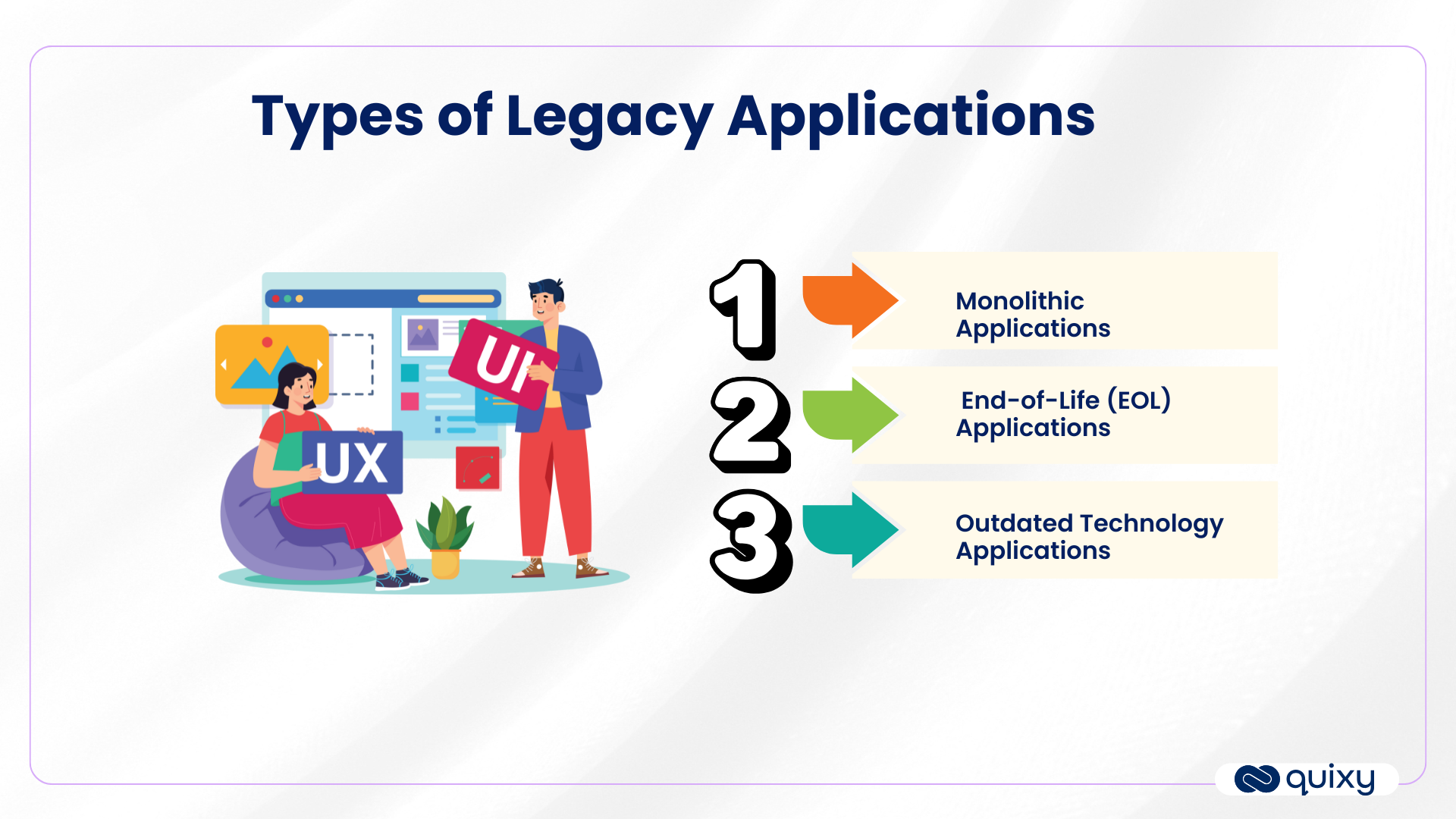
1. Outdated Technology Applications
These are applications built on tradional programming languages, frameworks, or platforms that are no longer aligned with modern standards. They may still function but are difficult to enhance, integrate, or scale. Their rigid architecture often slows down innovation and increases operational complexity.
Example: An old payroll application built in COBOL that still processes salaries but lacks integration with digital HR apps.
Also Explore: Legacy vs No-Code Low-Code Development
2. End-of-Life (EOL) Applications
Applications that have reached their vendor’s official end-of-life stage or are no longer supported. This means no security patches, bug fixes, or upgrades are provided, leaving organizations exposed to risks like compliance failures, security vulnerabilities, and higher maintenance costs.
Example: An ERP app on SAP R/3, which no longer receives mainstream support, exposing businesses to security risks.
3. Monolithic Applications
Applications that follow a tightly coupled, single-tier architecture where all components (UI, business logic, and database) are interdependent. These old applications are harder to update, integrate, and scale compared to modular or cloud-native alternatives, making them costly and inefficient to maintain over time.
Example: A legacy CRM application where the user interface, database, and business logic are all bundled together, preventing modular updates.
Examples of Legacy Applications
Many industries still rely on legacy applications to run mission-critical operations. Common examples include:
- Banking transaction systems built on COBOL or mainframe environments
- Old ERP systems such as early versions of SAP or Oracle applications
- Inventory management software built decades ago using monolithic architectures
- Customer relationship management tools developed before modern cloud CRM platforms
While these applications continue to function, they often require modernization to integrate with modern technologies like APIs, cloud platforms, and AI-driven analytics.
Business Impact of Legacy Apps
Legacy apps affect businesses in multiple ways. While they may continue to support core operations, they can also create significant challenges that limit organizational growth and agility.
Understanding the business impact of legacy apps helps organizations recognize the urgency of modernization.
Reduced Operational Agility
Modern businesses must respond quickly to changing customer demands and market conditions. Legacy apps, however, are often rigid and difficult to modify. Adding new features or adapting workflows can take weeks or even months, reducing an organization’s ability to innovate.
Limited Integration Capabilities
Today’s enterprise ecosystem relies on interconnected platforms such as CRM apps, analytics tools, cloud services, and AI-driven applications. Legacy apps frequently lack the APIs and integration frameworks required to connect with these modern technologies.
As a result, businesses struggle to create seamless digital experiences across departments and platforms.
Higher Operational Costs
Maintaining legacy apps often requires specialized expertise. Developers who understand older programming languages or legacy architectures are increasingly difficult to find, which drives up maintenance costs.
Additionally, aging infrastructure may require frequent upgrades, patches, and manual intervention to remain operational.
Slower Innovation
When IT teams spend most of their time maintaining outdated apps, they have fewer resources available to pursue innovation. This slows down digital initiatives such as automation, data-driven decision making, and AI adoption.
In the long term, organizations relying heavily on legacy apps risk falling behind competitors that embrace modern technologies and agile development practices.
Challenges of Legacy Apps
Legacy apps present a wide range of technical and operational challenges. These challenges often create significant barriers to digital transformation and enterprise agility.
Below are some of the most common issues organizations face with legacy applications.
Monolithic Architecture
Many legacy applications were designed using monolithic architecture, where all components of the application are tightly integrated into a single system.
While this design worked well in the past, it creates major limitations today.
In a monolithic system:
- Changes to one component often require changes to the entire system.
- Updating features can require redeploying the entire application.
- Scaling individual functions independently becomes difficult.
Modern software architecture favors microservices, where applications are broken into smaller, independent components that can be developed and deployed separately. Monolithic legacy apps, however, make this transition complex.
Data Silos and Integration Issues
Legacy apps frequently store data in isolated databases that cannot easily communicate with other systems. These data silos prevent organizations from gaining a unified view of their operations.
For example, customer information may be stored in multiple apps across sales, support, and finance departments. Without proper integration, organizations cannot effectively analyze this data or deliver personalized customer experiences.
Integration challenges also limit the ability to adopt new technologies such as cloud platforms, analytics tools, and AI applications.
Security and Compliance Risks
Cybersecurity threats are becoming increasingly sophisticated, and organizations must ensure their apps meet modern security standards.
Legacy applications often lack:
- Modern encryption protocols
- Secure authentication mechanisms
- Regular security updates
Because these apps are built on outdated technologies, they may contain vulnerabilities that attackers can exploit.
Additionally, many industries must comply with strict regulatory requirements related to data protection and privacy. Legacy apps may struggle to meet these compliance standards, exposing organizations to legal and financial risks.
High Maintenance Costs
One of the biggest challenges associated with legacy apps is the cost of maintaining them.
Organizations must invest significant resources to:
- Maintain aging hardware and infrastructure
- Hire specialists who understand legacy technologies
- Apply patches and updates to keep systems functional
- Resolve recurring system failures or performance issues
Over time, the cost of maintaining these systems can exceed the cost of modernizing them.
Furthermore, maintenance efforts often divert IT resources away from innovation initiatives, preventing organizations from pursuing new opportunities.
How to Identify Legacy Applications
Identifying legacy applications is an important first step in planning modernization initiatives. While these applications may still function, certain characteristics indicate that they rely on outdated technologies or architectures.
Here are some common signs that an application may be considered a legacy system:
Outdated Technology Stack
Legacy applications often run on older programming languages, frameworks, or operating systems that are no longer widely supported. This makes upgrades and integration with modern platforms difficult.
Limited Integration Capabilities
Older applications may lack modern APIs or integration frameworks, making it challenging to connect them with cloud services, analytics tools, or newer business applications.
High Maintenance Requirements
Legacy applications typically require frequent manual maintenance, patches, and specialized expertise, which increases operational costs over time.
Monolithic Architecture
Applications built using tightly coupled architectures can be difficult to modify or scale. Even small updates may require redeploying the entire application.
Vendor End-of-Life Support
If the software vendor has stopped providing updates, security patches, or technical support, the application may pose security and compliance risks.
Recognizing these indicators helps organizations determine which applications require modernization and prioritize their digital transformation initiatives.
Identifying legacy applications early allows organizations to build a clear legacy application modernization strategy and reduce long-term operational risks.
Importance of Modernization
Given the limitations of legacy apps, modernization has become a critical priority for organizations seeking long-term growth and agility.
Legacy application modernization involves updating or replacing outdated apps with modern technologies that improve performance, scalability, and integration capabilities.
Modernization does not always mean replacing legacy systems entirely. Instead, organizations may adopt different strategies such as:
- Migrating applications to cloud infrastructure
- Refactoring existing code to improve performance
- Rebuilding applications using modern frameworks
- Integrating legacy apps with modern platforms through APIs
These approaches enable businesses to preserve valuable functionality while improving apps capabilities.
Modernization also supports broader digital transformation initiatives by enabling organizations to adopt emerging technologies such as artificial intelligence, automation, and advanced analytics.
Benefits of Modernization
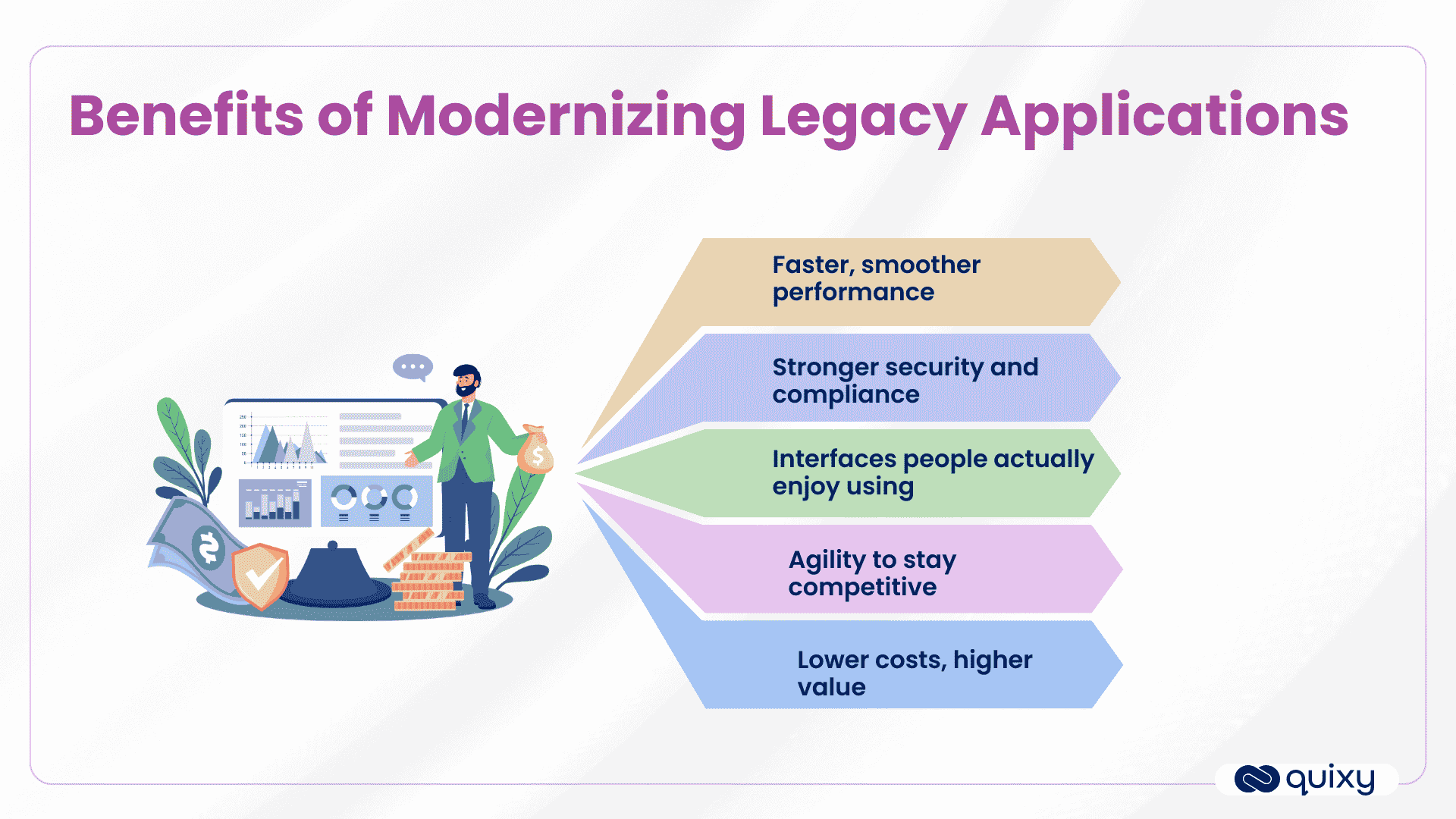
Modernizing legacy applications can deliver significant benefits, including:
Improved Agility
Modern apps allow organizations to deploy updates quickly and adapt to changing business requirements.
Better Integration
Modern architectures support seamless integration with cloud services, APIs, and third-party applications.
Enhanced Security
Upgrading to modern platforms improves cybersecurity and ensures compliance with evolving regulations.
Cost Efficiency
Although modernization requires initial investment, it often reduces long-term maintenance costs and improves operational efficiency.
Innovation Enablement
Modern platforms provide the foundation for advanced capabilities such as AI-driven analytics, automation, and digital customer experiences.
For organizations pursuing enterprise application evolution, modernization represents a crucial step toward building a future-ready digital infrastructure.
Also Read: Don’t let Legacy Enterprise Systems burn a hole through your pocket
Conclusion and Next Steps
Legacy applications have played an essential role in supporting enterprise operations for decades. However, as the pace of technological change accelerates, these outdated apps are increasingly becoming barriers to innovation and agility.
Organizations must understand the meaning of legacy applications, recognize their limitations, and assess the risks associated with maintaining outdated apps. Issues such as monolithic architectures, data silos, security vulnerabilities, and high maintenance costs make modernization an essential strategic priority.
Modernizing legacy apps allows businesses to improve operational efficiency, enhance security, integrate new technologies, and support long-term digital transformation goals.
For enterprises aiming to remain competitive in 2026 and beyond, the path forward involves evolving from outdated apps to modern, flexible platforms that support innovation and growth.
The journey toward modernization may require careful planning, technology assessment, and strategic investment, but the benefits far outweigh the challenges. By embracing modernization today, organizations can unlock new opportunities, drive business agility, and build a stronger foundation for the future of enterprise technology.
With Quixy, you don’t just upgrade systems- you unlock speed, efficiency, and agility for the future. Don’t let outdated applications define your tomorrow. Schedule a demo today and Let Quixy help you in transforming your legacy into lasting value.
Frequently Asked Questions(FAQs)
Q. How can legacy apps be modernized safely?
Legacy applications can be modernized safely by using platforms that support incremental upgrades, automation, and integration with modern tools. No-code, low-code, and AI-enabled solutions allow organizations to update systems, automate workflows, and improve functionality without disrupting ongoing operations or risking critical data.
Q. Why should businesses modernize legacy apps now?
Modernizing legacy app systems improves performance, security, and agility, reduces maintenance costs, and enables seamless integration with cloud, AI, and automation technologies helping businesses stay competitive and ready for future growth.
Q. What types of legacy applications exist?
Legacy applications typically include outdated technology apps, end-of-life (EOL) systems, and monolithic applications. They often rely on old programming languages or architectures, making them hard to maintain, scale, or integrate with modern tools.
Q. Which industries rely heavily on legacy applications?
Industries such as banking, insurance, government, healthcare, and utilities often rely on legacy applications. These sectors manage critical, long-standing operations and data, making older apps deeply embedded in daily workflows.
Q. How can legacy apps be upgraded without disrupting operations?
Legacy old apps can be upgraded safely by using incremental modernization approaches, automation, and integration platforms like no-code or low-code solutions. This allows updates and new features without halting critical business processes or risking data loss.
Q. What are the risks of keeping legacy apps unchanged?
Maintaining old apps can lead to high maintenance costs, security vulnerabilities, integration challenges, reduced agility, and missed opportunities for innovation, leaving businesses less competitive in a fast-changing market.
Q. How can legacy applications impact innovation and growth?
Old apps often slow down workflows, limit integration with new technologies, and increase operational complexity, which hampers innovation, delays time-to-market, and restricts business growth opportunities.
Related Post

Please login to comment
0 Comments
Oldest
Recent Posts







- Download the App