

Managing projects today is more complex than ever. Teams are distributed, workflows are dynamic, and businesses demand faster execution with complete visibility. This is where a modern project management platform becomes essential.
A project management platforms does more than just track tasks it centralizes planning, automates workflows, enables collaboration, and provides real-time insights to help teams deliver projects efficiently.
What Is a Project Management Platform?
A project management platform is software that helps teams plan, execute, track, and deliver work from individual tasks to enterprise-wide programs. These PM platforms centralize communication, documentation, resource allocation, timelines, and reporting into one place, replacing scattered emails, spreadsheets, and sticky notes.
Modern Project management platforms go far beyond simple to-do lists. The best ones in 2026 combine workflow automation, AI-powered insights, no-code customization, real-time collaboration, and advanced reporting giving project managers clear visibility across every moving part of their work.
Whether you’re running an agile software sprint, a marketing campaign, or a multi-million-dollar enterprise transformation, the right project management platform is the difference between controlled execution and costly chaos.
68% of organizations regret at least one software decision made in the past 18 months, and 90% have replaced at least one tool within the last two years.
Top Customizable Project Management Tools
Here is the list of platforms for project management for all your needs.
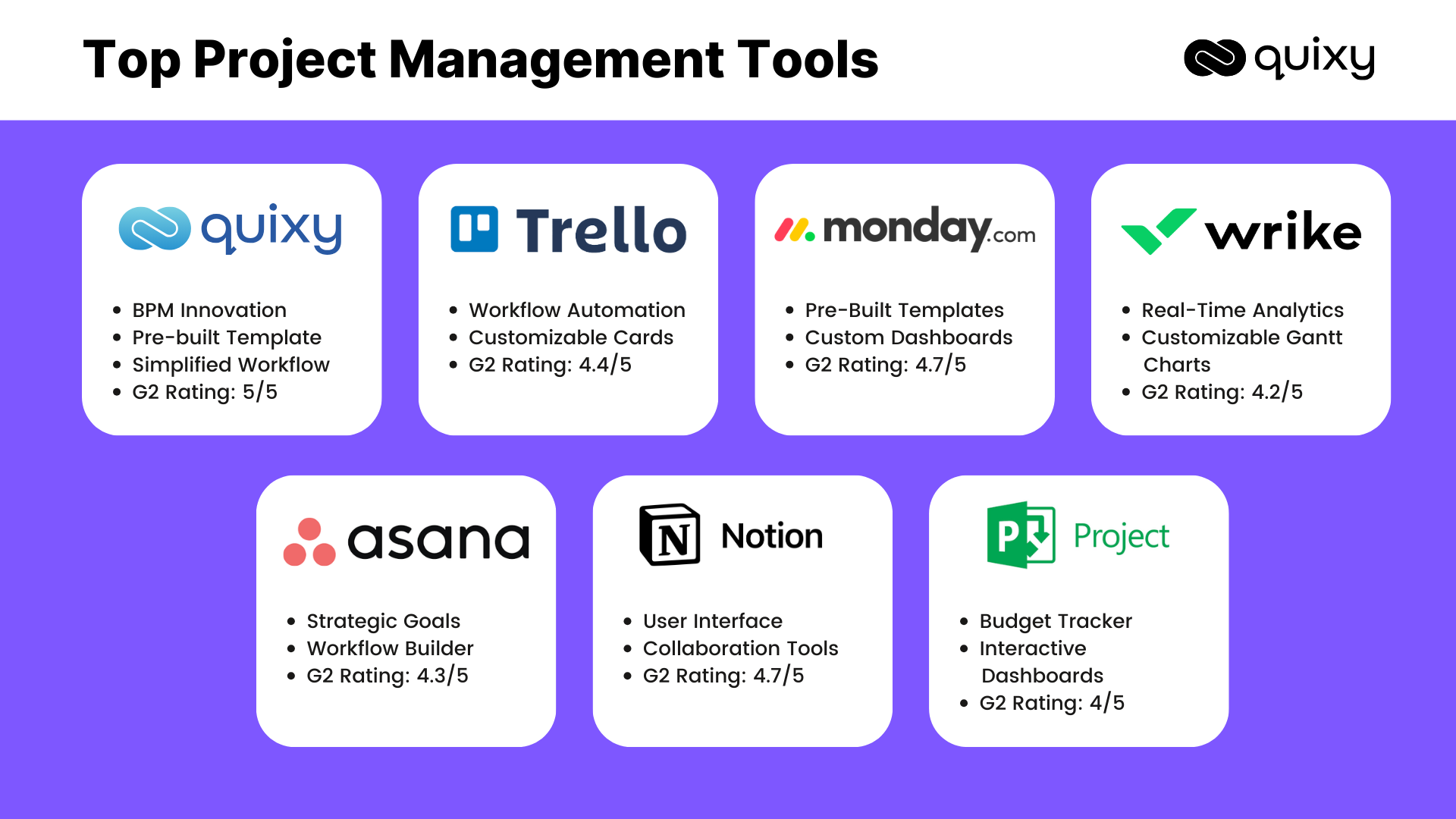
Quixy
Rating: ★★★★★ 5.0 (G2)
Free Plan: Trial Available
Starting Price: Contact for pricing
Best For: Enterprise · Mid-Market · No-code teams
VividMinds’ flagship product, Quixy, goes beyond traditional project management it’s a no-code application development platform that lets teams build fully custom project management apps tailored to their exact workflows, without writing a single line of code. It sits in a category of its own: the only PM platform where you can design the software around your work, rather than adapting your work to the software.
With Quixy’s drag-and-drop UI builder and over 40+ form fields, teams can capture geolocation, e-signatures, audio/video, QR codes, and even facial recognition all within a project management application they built themselves. Pre-built apps for task management, resource tracking, and compliance reporting mean you can get started fast, then extend endlessly as your needs evolve.
Quixy’s workflow automation engine eliminates repetitive manual tasks from auto-assigning work when a stage changes, to triggering escalation alerts for overdue items, to generating real-time dashboards with drill-down capability. For enterprises where standard tools create bottlenecks, Quixy is the answer.
Key Features
Build applications effortlessly using a drag-and-drop builder with 40+ form fields. Automate workflows with conditional logic, manage tasks through customizable views (Kanban, Gantt, Calendar, List), and gain insights with real-time dashboards. It also offers pre-built templates, role-based access control, seamless integrations, time tracking, AI-powered intelligence, and mobile accessibility for remote teams.
Pros
- Build custom apps without coding
- Highest G2 rating (5/5) in category
- End-to-end workflow automation
- Scales from small teams to enterprise
- Rich data capture (geo, e-sign, QR)
- Rapid deployment (days, not months)
Cons
- Pricing requires direct contact
- Steeper initial setup for complex apps
- Best value at mid-market and enterprise scale
Best For Enterprises and fast-growing businesses that need fully customized project management workflows without depending on IT or developers.
Also Read: Discover the Perfect Project Management Software for Your Business Needs
ClickUp
Rating: ★★★★☆ (4.7 / G2)
Free Plan: Yes — Unlimited tasks
Starting Price: $7/user/month
Best For: SMBs · Startups · All-in-one seekers
ClickUp bills itself as the app to replace all apps and for good reason. It packs tasks, docs, goals, whiteboards, time tracking, dashboards, and chat into a single PM platform with a genuinely generous free tier. For teams that want maximum functionality without paying for multiple subscriptions, ClickUp delivers exceptional value.
The downside is real: ClickUp’s breadth can quickly become overwhelming. Users consistently report that the sheer volume of features and configuration options creates a steep learning curve. If your team wants power and is willing to invest in onboarding, ClickUp rewards that effort. If you need something simple, it can feel like clutter.
Key Features
15+ project views · No-code automations · Docs and wikis · Goals and OKR tracking · Native time tracking · AI writing assistant (ClickUp Brain) · 1,000+ integrations · Workload management · Custom dashboards
Pros
- Generous free plan
- Massive feature set
- Highly customizable views
- Strong AI features
Cons
- Feature overload for simple teams
- Occasional performance lag in large workspaces
- Mobile app lags behind desktop
Best For Solo users, startups, and small-to-mid teams (1–50 people) who want maximum features without paying for separate docs and time tracking tools.
Also Read: Hybrid Project Management: Combining Structure and Agility for Better Results
Monday.com
Rating: ★★★★½ (4.6 / G2)
Free Plan: Yes — 2 users
Starting Price: $9/seat/month (3-seat min)
Best For: Non-technical teams · Marketing · Sales ops
Monday.com is one of the most visually polished project management platforms available today. Its board-based interface is intuitive from day one, and 200+ templates help teams get productive fast even those without any project management experience. The PM platform’s no-code automation builder allows teams to set up custom triggers, status updates, and notifications without technical skills.
Monday has evolved significantly in 2025–2026, adding CRM functionality, dev tools, and Microsoft Teams messaging within workflows a nod to its ambition to become an all-in-one work OS. For teams that want visual clarity and ease of use without sacrificing power, Monday.com remains a top contender.
Key Features
Visual Kanban and Gantt boards · 200+ templates · No-code automation recipes · Workload management · Form builder for intake · Timeline view · Slack, Gmail, Teams integrations · Custom dashboards · CRM module · AI summarization
Pros
- Extremely intuitive UI
- Fast onboarding for non-technical teams
- Excellent automation recipes
- Strong collaboration features
Cons
- Costs scale quickly with users
- Limited free plan (2 users only)
- Less flexible for complex workflows
Best For Non-technical teams, marketing departments, and client service teams that prioritize visual clarity and fast setup.
Also Read: Revamp Project Management with No-Code
Asana
Rating: ★★★★½ (4.4 / G2)
Free Plan: Yes — up to 15 users
Starting Price: $10.99/user/month
Best For: Mid-market · Enterprise · Cross-functional teams
Asana has long been the go-to project management tool for non-technical teams handling complex, cross-functional initiatives. Its task and dependency management is among the most robust on the market, making it an excellent choice for teams running campaigns, product launches, or operational programs involving multiple departments.
Asana’s portfolio and workload views give managers bird’s-eye visibility into capacity and progress across teams. The PM platform’s AI features including smart summaries and automated status updates reduce manual reporting overhead significantly. The free plan supports up to 15 users, making it accessible for growing teams.
Key Features
Task and subtask management · Timeline and Gantt views · Portfolio management · Workload and capacity planning · Workflow rules and automations · Goals and OKR tracking · 300+ integrations · AI Smart Status and summaries · Forms for intake · Reporting dashboards
Pros
- Excellent dependency management
- Portfolio-level visibility
- Strong free plan (15 users)
- Clean, focused interface
Cons
- No native time tracking (free tier)
- Can be expensive at scale
- Less suitable for dev/engineering workflows
Best For Large teams and enterprises managing multi-department projects that require strong dependency tracking and portfolio-level oversight.
Jira
Rating: ★★★★ (4.3 / G2)
Free Plan: Yes — up to 10 users
Starting Price: $7.75/user/month
Best For: Software teams · Agile · Dev ops
If your team writes code, Jira is hard to beat. Atlassian’s flagship product is purpose-built for agile software development featuring scrum and kanban boards, sprint planning, backlog management, and seamless integration with development tools like GitHub, Bitbucket, and GitLab. Jira lets developers view and create branches and pull requests directly from within an issue, keeping project management and code tightly linked.
The catch: Jira has a steep learning curve and its cost structure particularly for teams relying on add-ons for extended functionality can escalate quickly. Non-technical users often find it dense and counterintuitive. For pure software and engineering teams at enterprise scale, however, it remains the industry standard.
Key Features
Scrum and Kanban boards · Sprint planning and backlog · Roadmaps with dependency mapping · Code integration (GitHub, GitLab, Bitbucket) · Advanced reporting · Agile dashboards · Custom workflows · 3,000+ marketplace apps · Automation rules · Jira Plans for portfolio management
Pros
- Best-in-class for agile dev teams
- Deep code and CI/CD integrations
- Highly configurable workflows
- Rebuilt 2025 interface is much improved
Cons
- Steep learning curve
- Add-ons inflate cost significantly
- Poor fit for non-technical teams
Best For Software engineering teams, product teams, and any organization running agile development at scale.
Wrike
Rating: ★★★★ (4.2 / G2)
Free Plan: Yes — limited
Starting Price: $10/user/month
Best For: Enterprise · Marketing · Creative teams
Wrike is the PM platform of choice for organizations managing large, complex, multi-team projects that demand real-time visibility and airtight resource management. Used by over 20,000 companies and 2.4 million users across 140+ countries, it has earned recognition as a Gartner Leader in Collaborative Work Management.
Wrike’s custom workflow builder, dynamic request forms, and real-time Gantt charts make it powerful for enterprises coordinating across departments. Its AI and automation capabilities from AI-powered project briefs to predictive risk management genuinely reduce the admin overhead that plagues large teams. The tradeoff is a steeper learning curve before teams unlock its higher-level capabilities.
Key Features
Real-time Gantt charts · Custom workflow builder · Dynamic request forms · Workload views · Document versioning · Time tracking · Portfolio dashboards · AI drafting and summarization · Proofing and approvals (for creative teams) · 400+ integrations
Pros
- Advanced resource management
- Excellent proofing for creative teams
- Strong AI and automation
- Gartner-recognized leader
Cons
- Learning curve for advanced features
- Higher price point vs. alternatives
- Interface can feel dense
Best For Enterprises and creative teams that need to coordinate large, multi-department projects with advanced resource and workload management.
Smartsheet
Rating: ★★★★ (4.4 / G2)
Free Plan: 30-day trial
Starting Price: $9/member/month
Best For: Excel users · Enterprise · Operations
Smartsheet takes the familiar spreadsheet interface and supercharges it with Gantt charts, card views, workflow automation, and connected dashboards. For teams that already live in Excel, Smartsheet offers a powerful upgrade path preserving the grid metaphor while adding everything a project management platforms needs.
Its cross-sheet formulas and DataMesh feature let teams build connected dashboards that aggregate data from multiple projects. Construction, manufacturing, event planning, and operations teams in particular tend to thrive with Smartsheet’s structured, data-heavy approach.
Key Features
Grid, Gantt, card, and calendar views · Workflow automation builder · Cross-sheet formulas and DataMesh · Portfolio reporting · Resource management · Dynamic view for external stakeholders · Forms for data collection · 100+ integrations
Pros
- Familiar for Excel power users
- Flexible, powerful reporting engine
- Strong enterprise security controls
- Excellent for data-heavy workflows
Cons
- Collaboration feels less fluid vs. Asana/Monday
- Real-time co-editing can lag
- Steeper setup for non-spreadsheet users
Best For Operations teams, construction, manufacturing, and enterprise teams that need structured, data-driven project tracking and reporting.
Notion
Rating: ★★★★☆ (4.7 / G2)
Free Plan: Yes — generous
Starting Price: $10/user/month
Best For: Documentation-first teams · Startups · Wikis
Notion is beloved for its flexibility part document editor, part database, part project tracker, part wiki. Teams use it to centralize knowledge, manage lightweight projects, build CRMs, and document processes. Its customizable page structure and powerful databases make it endlessly adaptable.
The honest caveat: Notion is not a dedicated PM platform. It lacks native time tracking, advanced resource management, and the workflow automation depth of dedicated PM tools. Teams that try to run complex, multi-phase projects entirely in Notion often find it becomes overwhelming and messy as work scales.
Key Features
Documents and wikis · Database views (table, board, calendar, gallery, timeline) · Templates library · AI writing and summarization · Team collaboration · Notion Projects · Custom properties · API and integrations · Guest access
Pros
- Extremely flexible and customizable
- Excellent documentation tool
- Strong AI features
- Beautiful, focused UI
Cons
- Not a true PM platform for complex work
- No native time tracking or resource mgmt
- Can become disorganized at scale
Best For Documentation-first teams, startups, and small groups managing lightweight projects alongside their knowledge base.
Trello
Rating: ★★★★ (4.4 / G2)
Free Plan: Yes — up to 10 boards
Starting Price: $5/user/month
Best For: Small teams · Simple workflows · Individuals
Trello popularized visual Kanban project management for the masses and remains one of the easiest-to-learn tools available. Its card-and-board system is instantly understandable, and its Butler automation engine handles common repetitive actions without any coding knowledge. For small teams managing simple workflows, Trello is hard to beat for accessibility and ease of use.
However, Trello has struggled to keep pace with the expanding capabilities of competitors. Teams requiring task dependencies, advanced reporting, resource management, or Gantt views consistently find Trello’s feature set too shallow as their work grows in complexity.
Key Features
Kanban boards · Card-based task management · Power-ups for added functionality · Butler automation · Checklists and due dates · File attachments · Calendar view · Mobile app · 200+ integrations
Pros
- Easiest learning curve on this list
- Excellent free plan
- Clean, drag-and-drop interface
- Great mobile experience
Cons
- Feature set hasn’t kept up with competitors
- No native Gantt or resource views
- Not suitable for complex enterprise projects
Best For Individuals, freelancers, and very small teams managing simple, visual workflows with minimal complexity.
Microsoft Project
Rating: ★★★★ (4.0 / G2)
Free Plan: No
Starting Price: $10/user/month (Plan 1)
Best For: Enterprise · Microsoft 365 users · Single large projects
Microsoft Project is a trusted heavyweight in enterprise project management, built for single large projects requiring detailed scheduling, resource management, and budget tracking. It integrates natively with Microsoft 365, Teams, SharePoint, and Power BI making it a natural choice for organizations already embedded in the Microsoft ecosystem.
The PM platform is powerful for single-project management with complex scheduling needs. Where it struggles is multi-project portfolio management and collaboration fluidity areas where modern tools like Asana or ClickUp feel markedly more natural. Its interface also carries the weight of its legacy, which can feel dated compared to newer entrants.
Key Features
Gantt charts and scheduling · Resource and budget management · Roadmaps · Teams integration · Power BI reporting · Task dependencies · Portfolio management · SharePoint integration · Risk management tools
Pros
- Deep Microsoft 365 integration
- Powerful scheduling capabilities
- Trusted enterprise brand
- Strong budget tracking
Cons
- Dated UI compared to modern tools
- No free plan
- Limited collaboration features
- High cost at scale
Best For Large enterprises already using Microsoft 365 that need structured, Gantt-heavy project management for single complex initiatives.
Also Read: 5 Phases of Project Management
Comparison: Top 10 Project management Platforms
Use this table to quickly compare the PM platforms across the dimensions that matter most to your team.
| PM Platform | Free Plan | Starting Price | Automation | No-Code Build | Best For |
|---|---|---|---|---|---|
| Quixy | Trial | Contact sales | ✔ Advanced | ✔ Full app builder | Enterprise & custom workflows |
| ClickUp | ✔ | $7/user/mo | ✔ Strong | ✗ | All-in-one teams |
| Monday.com | ✔ (2 users) | $9/seat/mo | ✔ Strong | ✗ | Visual, non-technical teams |
| Asana | ✔ (15 users) | $10.99/user/mo | ✔ Good | ✗ | Cross-functional enterprise |
| Jira | ✔ (10 users) | $7.75/user/mo | ✔ Good | ✗ | Software / agile teams |
| Wrike | ✔ Limited | $10/user/mo | ✔ Strong | ✗ | Enterprise & creative ops |
| Smartsheet | Trial only | $9/member/mo | ✔ Good | ✗ | Data-heavy operations |
| Notion | ✔ | $10/user/mo | ✗ Limited | ✗ | Docs + lightweight PM |
| Trello | ✔ (10 boards) | $5/user/mo | ✔ Basic | ✗ | Small teams, simple tasks |
| Microsoft Project | ✗ | $10/user/mo | ✔ Basic | ✗ | Microsoft ecosystem enterprises |
Also Read: Project Management Simplified for Non-Project Managers
Choosing the Right Project Management Tool
Selecting the ideal project management tool can significantly impact your team’s productivity and project success. Here’s a step-by-step guide to help you make an informed decision:
- Selecting the right project management tool is essential for streamlining workflows, enhancing collaboration, and ensuring project success. Here are key factors to consider:
- Define Your Project Management Needs: Start by assessing the size and complexity of your projects. Consider whether your team is centralized or distributed, and identify any industry-specific requirements that might influence your choice.
- Evaluate Essential Features: Look for core functionalities such as task management, collaboration tools, time tracking, Gantt charts for timeline visualization, and resource management. These features are fundamental to keeping projects on track.
- Consider Additional Features: Beyond the basics, consider whether the tool offers document management, reporting and analytics, customizable workflows, and integrations with CRM, ERP, or other business applications. Also, check for mobile accessibility and robust security features to protect your data.
- Set Your Budget: Determine how much you’re willing to invest in a project management tool, factoring in long-term costs such as subscription fees, additional features, and training expenses.
- Evaluate User-Friendliness: A tool should be intuitive and easy to use. Request a demo or trial to assess its usability and the learning curve for your team.
- Consider Customer Support: Reliable customer support is crucial. Check if the provider offers responsive support channels and quick issue resolution.
- Get Recommendations: Seek insights from colleagues, industry peers, and online communities. Reading reviews and case studies can help you understand real-world experiences with different tools.
- Conduct a Pilot Test: Before full deployment, run a small test project with the tool to evaluate its effectiveness, ease of use, and any potential limitations.
By following these steps and carefully considering your specific needs, you can choose a project management tool that will enhance your team’s productivity and project success.
Also Read: Why Quixy Stands Out From its Competitors?
Final Thoughts: Choosing the Best Project Managment Platform in 2026
The project management software market in 2026 is more capable than ever and more competitive. Every PM platform on this list does something exceptionally well. The key is matching the tool to your team’s reality.
If you’re a software team running agile sprints, Jira or Linear are your home. If you want frictionless visual task management, Monday.com is hard to beat. If you need maximum features at minimal cost, ClickUp delivers remarkable value. If you’re managing complex enterprise operations with workflows that don’t fit any template, Quixy is in a category of its own the only PM platform that lets you build your own project management software, shaped precisely to how your business operates.
The future of project management is not about choosing the most popular tool. It’s about choosing the tool that empowers your team to work exactly how they work best and then getting out of the way.
Frequently Asked Questions (FAQs)
Q. What are the benefits of cloud-based PM tools?
Project management tools offer many advantages that cater to modern work dynamics. It enhances accessibility, which allows the other team members to connect and collaborate from anywhere with an internet connection.
Q. Can project management tools integrate with other tools?
Integrating project management tools with other corporate apps and solutions improves workflow effectiveness and information sharing. This prevents switching between PM platforms by ensuring that dialogues are directly related to tasks. Document sharing and version control are made simpler by document management connection with programs like Google Drive, Dropbox, or SharePoint.
Q. How much do project management tools cost?
The cost of project management tools varies widely. Some tools offer free versions with limited features, while others have paid plans with varying pricing tiers based on features, users, and additional services. Prices can range from free to hundreds or thousands of dollars per month for enterprise-level solutions.
Q. How do no-code project management platforms differ from traditional project management software?
Traditional project management tools offer a fixed set of features and templates that you configure to fit your work. A no-code PM platform like Quixy goes further it lets you build custom project management applications from scratch using visual drag-and-drop tools, without writing any code. This means greater flexibility, faster adaptation as your needs change, and zero dependency on IT or developers.
Q. How is AI changing project management platforms in 2026?
AI is reshaping project management in several meaningful ways: automated status summaries reduce manual reporting; predictive analytics flag risks before they become delays; AI-powered task assignment optimizes resource allocation based on capacity and skills; natural language interfaces let users create tasks by describing them in plain language; and agentic AI autonomous goal-driven systems is beginning to proactively rebalance projects when conditions change. PM Platforms like Quixy, ClickUp, Wrike, and Asana have all invested heavily in AI capabilities through 2025–2026.
Related Post



Login
Please login to comment
0 Comments
Oldest
Recent Posts







- Download the App







