
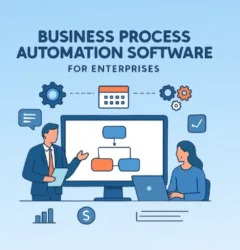
Business process optimization is the practice of analyzing an existing workflow and redesigning it to remove waste, reduce cost, and speed up execution while maintaining or improving quality. It combines process mapping, proven methodologies such as Lean and Six Sigma, and automation to make every step of a process measurably more efficient.
Unlike a one-off fix, optimization is a continuous discipline: you map how work actually happens, find where it breaks down, redesign it, automate the repetitive parts, and keep measuring the results. Done well, it turns slow, manual, inconsistent operations into fast, predictable, scalable ones.
This guide is a complete walkthrough — what business process optimization is, how it differs from related terms, its benefits, the core techniques and steps, the KPIs that prove it worked, the common pitfalls, the role of AI, real examples by function and industry, and how modern no-code platforms make it faster to execute.

What is Business Process Optimization?
Business process optimization is a structured approach to improving how work gets done inside an organization. It starts by examining an existing business process — the sequence of tasks, decisions, and handoffs that move work from start to finish — and then reworking that sequence so it delivers the same or a better outcome with less time, fewer errors, and lower cost.
Every organization runs on processes, whether they are documented or not. Employee onboarding, invoice approval, procurement, and customer request handling all flow through a series of steps. In most businesses these processes grow organically over time and become fragmented, person-dependent, and full of manual work. Optimization brings structure back: it replaces “this is how we’ve always done it” with “this is the most effective way to do it,” and it does so deliberately, using data rather than intuition.
Crucially, optimization is not the same as simply working harder or adding more people. It is about redesigning the work itself so that effort translates into output more efficiently. The goal isn’t only speed — it’s clarity, consistency, and scalability.
Business Process Optimization vs. Management, Improvement, Automation, and Outsourcing
These terms are used interchangeably but describe genuinely different things. Getting the distinction right matters, because the wrong framing leads teams to solve the wrong problem — and because search engines and AI assistants rely on these relationships to understand and cite your content correctly.
A note on the “BPO” abbreviation: in most business contexts, “BPO” refers to Business Process Outsourcing — handing a process to an external provider to run on your behalf. That is a different discipline from optimization, which is about improving a process you keep in-house. To avoid confusion, this guide uses the full term “business process optimization” throughout.
| Concept | What it does | Primary goal | Scope |
|---|---|---|---|
| Process optimization | Refines a specific existing process to remove inefficiency | Efficiency | Targeted, one process at a time |
| Process improvement | Makes incremental fixes to a known problem | Incremental gains | Reactive, issue-driven |
| Business process management (BPM) | Governs, monitors, and manages all processes over their lifecycle | Control & governance | Organization-wide, ongoing |
| Business process automation | Uses technology to execute process steps without manual effort | Execution at scale | Applied to optimized processes |
| Process standardization | Ensures a process runs the same way everywhere | Consistency | Cross-team, cross-location |
| Business process outsourcing | Delegates a process to an external third-party provider | Cost / focus | External, contractual |
The simplest way to hold these together: optimization drives improvement, standardization creates consistency, automation handles execution, and BPM provides governance. Process optimization sits inside the broader practice of business process management, and it typically precedes automation — you optimize a process first, then automate it, because automating a broken process only makes the mistakes happen faster.
Why Business Process Optimization matters
Businesses increasingly compete on speed and experience, not just product or price. Customers expect faster responses, teams expect smoother collaboration, and leaders expect real-time visibility. Unoptimized processes make all three impossible — they create delays, errors, manual drag, and blind spots that compound as the business grows. What worked through informal coordination at ten people breaks down badly at a hundred.
The scale of the opportunity is significant. The global business process management market is projected to grow from USD 21.51 billion to USD 70.93 billion by 2032, a CAGR of 18.6% (Fortune Business Insights), reflecting how heavily organizations are investing in running their operations more efficiently. At the same time, research suggests employees can spend 40–50% of their time on repetitive, low-value tasks such as data entry and manual follow-ups (MIT Sloan Management Review). Optimization is how organizations reclaim that time and redirect it toward work that actually moves the business forward.
Left unaddressed, inefficiency doesn’t stay flat — it scales with you. Every new hire, region, or product line inherits the same broken workflow, so the cost of not optimizing grows over time. That’s why optimization is best treated as an ongoing capability, not a one-time cleanup.
Key Benefits of Business Process Optimization
Optimization delivers measurable impact across efficiency, cost, and experience. The exact gains depend on the process and how well the change is implemented, but organizations consistently see improvement in the following areas.
1. Improved operational efficiency
Removing unnecessary steps, delays, and handoffs means work flows from start to finish faster and with less friction. Cycle times drop and throughput rises without adding headcount.
2. Reduced operational costs
Eliminating redundancies, rework, and manual effort cuts avoidable expense. Fewer errors mean less money spent fixing them, and better resource utilization lowers the cost per transaction.
3. Higher productivity
When repetitive tasks are streamlined or automated, teams spend more time on strategic, value-adding work and less on chasing approvals or re-keying data. The same team gets more done.
4. Better visibility and control
Structured, optimized processes make it easy to see where work stands, where it’s stuck, and how it’s performing. Leaders gain the real-time insight needed to make faster, better decisions.
5. Improved quality and fewer errors
Standardized, well-designed processes produce consistent output. Removing manual handoffs — a common source of mistakes — directly improves accuracy and reliability.
6. Stronger customer experience
Faster response times, fewer errors, and consistent service delivery translate directly into higher customer satisfaction and loyalty. The internal gains are felt externally.
7. Better compliance and lower risk
Optimized processes bake in the right steps, approvals, and audit trails, making it easier to enforce policy and demonstrate compliance — especially valuable in regulated industries.
8. Scalability and growth readiness
Perhaps the most important benefit: optimized processes create an operational foundation that supports growth without a proportional increase in cost or complexity. You can scale the business without scaling the chaos.
The Core Components of Process Optimization
Effective optimization rests on five building blocks. Skip any one and improvements tend to be surface-level and short-lived.
Process visibility
You cannot improve what you cannot see. The first requirement is an end-to-end view of how work actually moves — the tasks involved, who is responsible, the tools used, and the dependencies between steps. This is typically captured through business process mapping.
Inefficiency identification
Every process contains friction: bottlenecks, delays, redundant tasks, and manual dependencies. Pinpointing exactly where value is lost is what separates real optimization from guesswork.
Workflow simplification
Complexity slows everything down. Simplifying a workflow — removing unnecessary steps, reducing dependencies, and clarifying decision paths — is often the single highest-impact move you can make.
Standardization
Consistency is essential for scale. Standardizing a process reduces variability and ensures work is executed the same way across teams, locations, and scenarios.
Continuous improvement
Optimization is not a one-time project. Processes evolve as the business grows and expectations shift, so the best organizations treat optimization as an ongoing loop rather than a finished task.
Signs your Processes need Optimization
Most teams don’t think about optimization until the symptoms become impossible to ignore. Watch for these early warning signs:
- Tasks are frequently delayed without a clear reason
- Employees rely heavily on manual reminders and follow-ups
- Errors and rework are common
- There’s no clear visibility into where a process currently stands
- Teams work in silos with poor coordination and duplicated effort
- Onboarding a new team member takes far longer than it should
- Scaling operations feels disproportionately hard
- The same questions and exceptions come up over and over
These aren’t isolated annoyances — they’re symptoms of underlying process inefficiency, and they get worse, not better, as volume grows.
Business process optimization techniques and methodologies
There is no single “right” method. Most organizations combine several of the following, matching the technique to the problem. For a deeper treatment, see our guide to workflow optimization strategies.
Lean
Originating at Toyota, Lean focuses on eliminating waste — anything that doesn’t add value for the customer. It emphasizes smooth flow, pulling work only when needed, and continuous refinement. Lean is ideal when a process feels cluttered with steps that no one can quite justify.
Six Sigma
A data-driven methodology created at Motorola and popularized by GE, Six Sigma targets defects and variability. Its benchmark is famously demanding: no more than 3.4 defects per million opportunities. It’s most valuable where quality and consistency are mission-critical.
DMAIC
DMAIC — Define, Measure, Analyze, Improve, Control — is the core problem-solving cycle within Six Sigma and a practical framework for almost any optimization effort:
- Define the process, the problem, and the goal.
- Measure current performance to set a baseline and identify KPIs.
- Analyze the data to find the root causes of inefficiency.
- Improve by redesigning the process to remove those causes.
- Control the new process with monitoring so the gains stick.
Kaizen
Kaizen is a philosophy of continuous, incremental improvement driven by everyone involved in a process — not just leadership. It breaks down silos by bringing employees from different levels and departments together to surface opportunities that top-down reviews often miss.
Total Quality Management (TQM)
TQM is an organization-wide approach that makes quality everyone’s responsibility, embedding a culture of ongoing improvement rather than treating quality as a final inspection step.
Theory of Constraints (TOC)
TOC argues that every process is limited by a single most significant bottleneck — the constraint. Rather than optimizing everything at once, you identify that constraint, relieve it, and repeat. It’s a highly focused way to get the biggest gain for the least effort.
PDCA (Plan-Do-Check-Act)
PDCA is a simple, iterative loop for testing changes on a small scale before committing to them: plan the change, do it, check the results, and act on what you learned. It’s the backbone of continuous improvement.
Business process reengineering (BPR)
Where the techniques above refine, business process reengineering rebuilds. It’s a radical, from-scratch redesign used when a process is too broken to improve incrementally.
Value stream mapping, process mapping, and process mining
These are the diagnostic techniques that make everything else possible. Value stream mapping and process mapping visualize a process as flowcharts or swimlane diagrams, while process mining applies algorithms to system event logs to reveal how a process truly runs. All three replace assumptions with an accurate picture — the essential starting point for any redesign.
Automation
Once a process is streamlined, automation makes it self-executing. Tasks are assigned automatically, notifications trigger instantly, and progress is tracked in real time — turning an optimized process into a scalable one. Automation is the bridge from a better-designed process to a self-running one.
How to optimize a business process: a step-by-step framework
Optimization follows a repeatable sequence. These steps work whether you’re fixing a single approval workflow or overhauling an entire department.
- Identify the process to optimize. Prioritize processes that are high-volume, error-prone, customer-facing, or clearly slowing the business down. Start where the payoff is largest.
- Map the current state. Document how the process actually works today — every step, owner, tool, and dependency — not how it’s supposed to work. This is where hidden inefficiencies surface.
- Analyze for inefficiency. Use the map and any available data to locate bottlenecks, redundancies, delays, and manual handoffs, then trace them to their root causes.
- Prioritize improvements. Rank potential changes by impact, feasibility, and cost so you tackle the high-value, achievable ones first rather than boiling the ocean.
- Redesign the process. Remove unnecessary steps, resequence tasks, clarify decision points, and reassign ownership so the flow is as simple and direct as possible.
- Automate the repetitive parts. Replace manual reminders, data entry, routing, and approvals with automated triggers and workflows.
- Test with a pilot. Run the redesigned process with a small team or department, gather feedback, and fix issues before a wider rollout.
- Implement, monitor, and refine. Roll out the new process, track KPIs against your baseline, and keep adjusting — optimization is continuous, not final.
How to measure success: process optimization KPIs
Optimization only counts if you can prove it worked. Define your metrics before you make changes so you have a baseline to compare against. The most useful KPIs include:
- Cycle time: how long the process takes from start to finish. The clearest indicator of speed.
- Throughput: how many units of work the process completes in a given period.
- Error and defect rate: the percentage of outputs that require rework or correction.
- First-pass yield: the share of work completed correctly the first time, without rework.
- Cost per transaction: the total cost of running the process divided by volume.
- SLA / on-time completion rate: how often the process meets its deadline or service-level target.
- Manual touchpoints: the number of steps still requiring human intervention — a proxy for automation opportunity.
- Employee and customer satisfaction: qualitative signals that the process works for the people inside and outside it.
Track these on a dashboard so improvements are visible and sustained. A gain that isn’t measured tends not to last.
Common challenges (and how to avoid them)
Most optimization efforts that fail share a handful of avoidable mistakes.
Optimizing a process you don’t fully understand
Redesigning based on how a process is assumed to work — rather than how it actually works — leads to surface-level fixes. Always map the real current state first.
Automating a broken process
Automation amplifies whatever it’s applied to. Automate before you optimize, and you simply make the inefficiency run faster and at greater scale. Fix the design first.
Resistance to change
People are understandably attached to familiar ways of working. Involve the teams who run the process early, explain the “why,” and pilot changes so adoption is earned, not forced. A structured approach to organizational change management makes a real difference here.
No clear owner or metrics
Without an accountable owner and defined KPIs, improvements drift and processes slowly revert. Assign ownership and measure continuously.
Trying to optimize everything at once
Boiling the ocean spreads effort too thin. Start with one or two high-impact processes, prove the value, and expand from there.
The role of AI and agentic automation in process optimization
AI is rapidly changing what’s possible. Where traditional optimization relied on humans to spot inefficiencies, AI can analyze large volumes of process data to surface patterns and bottlenecks people would miss, and predict where a process is likely to break down before it does. Research indicates a large share of organizations now consider AI essential to their internal operations, with 42% saying AI is essential for internal processes (Fortune Business Insights).
The frontier is agentic automation — AI agents that don’t just flag issues but take action within a workflow: routing exceptions, drafting responses, reconciling data, and making rule-based decisions autonomously. Paired with a workflow platform, AI shifts optimization from a periodic project to a continuous, self-improving loop. Tools like Quixy’s AI capabilities bring this intelligence directly into the processes you build.
Business process optimization examples
Optimization is easiest to understand at the level of a specific workflow. Here are common examples by function, followed by real results from organizations that put them into practice. For more, see our roundup of business process automation examples.
Procurement and purchase orders
Email-based purchase approvals clog the queue and stall spending. Replacing them with a structured request-and-approval workflow lets employees submit requests that route automatically to the right approver — cutting delays and giving finance full visibility into commitments.
Invoice approval
Manual invoice handling is slow and error-prone. A digital approval workflow validates and routes each invoice automatically. Axiom Telecom achieved 90% faster invoice approval processing after digitizing this exact process.
Employee onboarding
Onboarding spans HR, IT, and facilities, and manual handoffs create gaps. Triggered workflows move each step forward automatically — the moment an offer is signed, IT provisioning and access requests kick off without a chasing email.
Expense reimbursement
Paper-based reimbursement invites errors and slow payouts. Digitizing the form and approval flow removes processing mistakes and gets employees reimbursed faster.
Customer support ticketing
Unrouted tickets sit in shared inboxes and get missed. Automatic classification and routing sends each request to the right person and closes the loop once it’s resolved, cutting response times and improving satisfaction.
Across industries, the pattern holds. Organizations such as YUM! (MENA), which saved 70% in cost and time, SAICO, which achieved a 50% efficiency boost, and Rua Al Madinah, which cut manual effort by 80%, show what optimized, automated processes deliver in practice.
Process optimization across industries
Every sector benefits, but the highest-impact processes differ by industry:
- Manufacturing: production scheduling, quality control, and supply-chain coordination — often using Lean and Six Sigma.
- Healthcare: patient intake, scheduling, and claims processing, where reducing delays directly improves care and compliance.
- Banking and financial services: loan origination, KYC, and reconciliation, where speed and accuracy carry regulatory weight.
- Retail: inventory management, order fulfillment, and store operations that must stay consistent across locations.
- Logistics and supply chain: routing, tracking, and warehouse workflows where small efficiencies compound across high volume.
Choosing process optimization software: what to look for
The right platform makes optimization faster to execute and easier to sustain. When evaluating process optimization and BPM tools, look for:
- Visual process mapping and design so business teams can model workflows without code.
- Workflow automation for approvals, notifications, routing, and data entry.
- Real-time dashboards and analytics to monitor the KPIs above.
- Integration with your existing systems — ERP, CRM, databases, and APIs.
- Flexibility to iterate so you can adapt processes as needs change, without a development cycle each time.
- Scalability from a single department to organization-wide use.
No-code and low-code platforms score well on all of these because they remove the traditional bottleneck — IT development time — and let the people who run a process also improve it.
When optimization isn’t enough: the shift to automation
Optimization improves how a process is designed, but it still relies on people to execute it. As volume grows, manual execution becomes the ceiling. If teams are still sending reminders by hand, tracking work in spreadsheets, and chasing approvals over email, the process may be well-designed but it isn’t scalable.
That’s where automation takes over. It converts an optimized process into a self-executing system — assigning tasks, triggering notifications, and tracking progress automatically — so teams design systems that manage the work instead of managing it themselves. The cost of leaving this manual is real; see the hidden costs of manual business operations.
How no-code platforms accelerate process optimization
Historically, the barrier to optimization was execution: even once you’d identified the fix, implementing it meant development time and IT dependency. No-code and low-code platforms remove that barrier. Business teams can map a workflow, redesign it, and automate it visually — no coding required — and adapt it again as needs change.
That’s the core of what Quixy’s process optimization software enables: map and analyze current workflows, identify roadblocks, rebuild them with drag-and-drop logic, automate manual tasks, and monitor performance on real-time dashboards — moving from department-level to organization-wide in weeks rather than quarters.
Getting started: a practical checklist
If you’re ready to optimize your first process, work through this sequence:
- Pick one high-impact, high-frustration process to start with.
- Map exactly how it works today, end to end.
- Define the KPIs you’ll use to measure improvement, and capture the baseline.
- Identify the biggest bottlenecks and their root causes.
- Redesign the flow to remove or simplify those steps.
- Automate the repetitive, rule-based parts.
- Pilot with a small team, gather feedback, and refine.
- Roll out, monitor the KPIs, and schedule regular reviews.
Conclusion
Business process optimization is no longer optional — it’s a core capability for any organization that wants to operate efficiently and scale without adding chaos. It brings structure to how work flows, makes performance measurable, and lays the groundwork for automation and AI. The organizations that pull ahead aren’t the ones doing more work; they’re the ones designing better ways to get work done. The real question isn’t whether you need optimization — it’s whether your current processes are helping you grow or quietly holding you back.
Ready to streamline your processes and scale smarter? Schedule a demo today and see how you can turn inefficiencies into growth opportunities.
Frequently Asked Questions(FAQs)
What are the main process optimization techniques?
The most widely used techniques are Lean (eliminating waste), Six Sigma and its DMAIC cycle (reducing defects and variability), Kaizen (continuous incremental improvement), Total Quality Management, the Theory of Constraints (focusing on the biggest bottleneck), PDCA, business process reengineering (radical redesign), process mapping and mining (understanding the current state), and automation (making optimized processes self-executing). Most organizations combine several, matching the technique to the problem.
What are the steps in business process optimization?
The core steps are: identify the process to optimize, map its current state, analyze it for inefficiencies, prioritize improvements, redesign the process, automate the repetitive parts, pilot the new version, and then implement, monitor, and continuously refine it against defined KPIs.
What are process optimization tools?
Process optimization tools are software platforms that help you map, analyze, automate, and monitor workflows. They typically offer process mapping, workflow automation, real-time dashboards, and performance analytics. No-code and low-code platforms like Quixy let business users build and optimize workflows without writing code, making it faster to implement changes at scale.
What is the difference between process improvement and process optimization?
Process improvement is usually reactive and incremental — it fixes a specific known problem. Process optimization is more strategic and proactive: it involves a comprehensive review of a process and a redesign aligned to broader business goals, often using data analysis and automation. Improvement patches; optimization redesigns.
How do you measure the success of process optimization?
Measure against a baseline captured before you make changes. Useful KPIs include cycle time, throughput, error and defect rate, first-pass yield, cost per transaction, on-time (SLA) completion rate, the number of manual touchpoints remaining, and employee and customer satisfaction.
How does AI contribute to business process optimization?
AI accelerates optimization by finding patterns and inefficiencies in process data that people miss, predicting bottlenecks before they occur, and automating increasingly complex tasks. Agentic AI can take action within a workflow autonomously, turning optimization into a continuous, self-improving loop rather than a periodic project.
How do you identify which processes need optimization?
Look for processes with frequent delays, heavy manual follow-up, recurring errors and rework, poor visibility, and difficulty scaling. Feedback from employees and customers, plus metrics like cycle time and error rate, helps you prioritize the processes where optimization will have the biggest impact.
What are the biggest challenges in process optimization?
The most common pitfalls are optimizing a process you don’t fully understand, automating a broken process, resistance to change, lacking a clear owner or metrics, and trying to optimize everything at once. Each is avoidable with proper mapping, phased rollouts, and clear accountability.
Which industries benefit most from process optimization?
Every industry benefits, but manufacturing, healthcare, financial services, retail, and logistics tend to see the largest gains because they run high-volume, repeatable processes. Regulated industries benefit especially, since optimization improves compliance and consistency while cutting cost.
Can small businesses benefit from process optimization?
Yes. Small businesses often gain the most, because optimization frees limited resources for growth. No-code tools make it affordable and accessible — small teams can automate tasks, reduce errors, and improve efficiency without a large IT department.
What does business process optimization cost?
Costs vary with scope and can include software, employee training, and implementation effort. No-code platforms lower the entry cost significantly by removing the need for custom development, and the efficiency gains typically deliver a return that outweighs the initial investment over time.
Related Post


Please login to comment
0 Comments
Oldest
Recent Posts



- Download the App