
HR platforms (also called human resources software or an HR platform) is a system that centralises and automates HR tasks — payroll, hiring, onboarding, time, benefits, and performance — in one place. The best HR software for you depends on size and needs: all-in-one suites like BambooHR and Rippling suit most SMBs, enterprise HCM like Workday fits large organisations, and no-code platforms like Quixy suit teams that need a system built around their own processes.
The right HR software turns HR from a paperwork function into a strategic one — but with dozens of HR platforms on the market, choosing is the hard part. This guide compares the best HR software of 2026 across categories, shows what each is best for, and gives you a clear way to choose.
Best HR software at a glance
| HR platform | Best for | Category |
|---|---|---|
| Quixy | Teams that need a custom HR system, with built-in AI analytics (Caddie) | No-code / build-your-own |
| BambooHR | Small and mid-sized businesses wanting ease of use | All-in-one suite |
| Rippling | Companies unifying HR, IT, and payroll | All-in-one suite |
| Gusto | Small businesses needing simple payroll + HR | Payroll-first |
| Deel | Global teams and international hiring | Global HR / EOR |
| Workday | Large enterprises with complex needs | Enterprise HCM |
| SAP SuccessFactors | Enterprises on SAP needing talent management | Enterprise HCM |
| Oracle HCM | Large enterprises needing analytics and global reach | Enterprise HCM |
What is HR software?
HR software is a digital system that helps organisations manage their people and automate HR processes — from recruitment and onboarding through payroll, time, benefits, and performance. By replacing spreadsheets and manual paperwork with connected workflows, HR software gives teams one source of truth for people data and frees HR to focus on strategy rather than admin.
You’ll see the same idea called human resources software, an HR platform, an HR system, or HR management software — they’re interchangeable. Technically, this category overlaps heavily with the human resource management system (HRMS); if you want the distinction between HRMS, HRIS, and HCM, that guide breaks it down. Adopting the right HR platform is also a core step in digital transformation in HR.
Also Read: No-Code HRMS modules to revolutionize HR operations using Quixy
Types of HR platforms
Before comparing tools, it helps to know which kind of HR platform you’re looking for. Most HR software falls into three categories.
- All-in-one HR suites. A single platform covering most HR functions — core HR, payroll, benefits, and talent. Best for organisations that want one connected system with minimal integration work. Examples: BambooHR, Rippling.
- Best-of-breed / specialised tools. Point solutions that do one thing exceptionally well — payroll, applicant tracking, or learning — and integrate with the rest of your stack. Best when you have a specific, high-value need.
- No-code / build-your-own platforms. Flexible platforms that let HR teams build and change the exact HR system they need — without writing code or waiting on IT. Best when your processes don’t fit a fixed template. Example: Quixy.
The rigid-suite-vs-flexible-platform choice is the one most buyers underestimate: a suite makes you adapt your process to the software, while a no-code platform lets the software adapt to your process.
Benefits of HR software
- Less manual admin. Automating repetitive tasks frees HR from paperwork for higher-value work.
- Fewer errors. A single source of truth reduces the payroll and compliance mistakes that scattered data causes.
- Better decisions. Real-time analytics turn people data into insight on turnover, hiring, and engagement.
- A better employee experience. Self-service and faster processes make everyday HR interactions smoother.
- Scalability. The right platform handles 5,000 employees on the same workflow that handles 500 — without growing the HR team proportionally.
“Skills gaps are now the number-one barrier to business transformation, cited by 63% of employers — a big reason organisations are investing in HR platforms that can hire, upskill, and redeploy people faster.”
Also Read: CEOs, Are You Ready To Embrace this Digital Disruptor?
Features to look for in HR software
Whatever HR tools you shortlist, focus on the features that solve your current bottlenecks rather than the longest feature list. The best HR tools share a core set of essentials:
- Core HR and employee records — a secure, single database for people data.
- Payroll, time, and attendance — ideally integrated so time flows straight into pay.
- Recruitment and onboarding — applicant tracking through to a smooth first day. (See our guide to employee onboarding software.)
- Performance and learning — reviews, goals, and development in one place.
- Analytics and reporting — live dashboards, not static spreadsheets.
- Integrations and flexibility — open APIs, and the ability to fit your process rather than force a change to it.
- Security and compliance — role-based access, encryption, and audit trails for sensitive HR data.
The 8 best HR software platforms in 2026
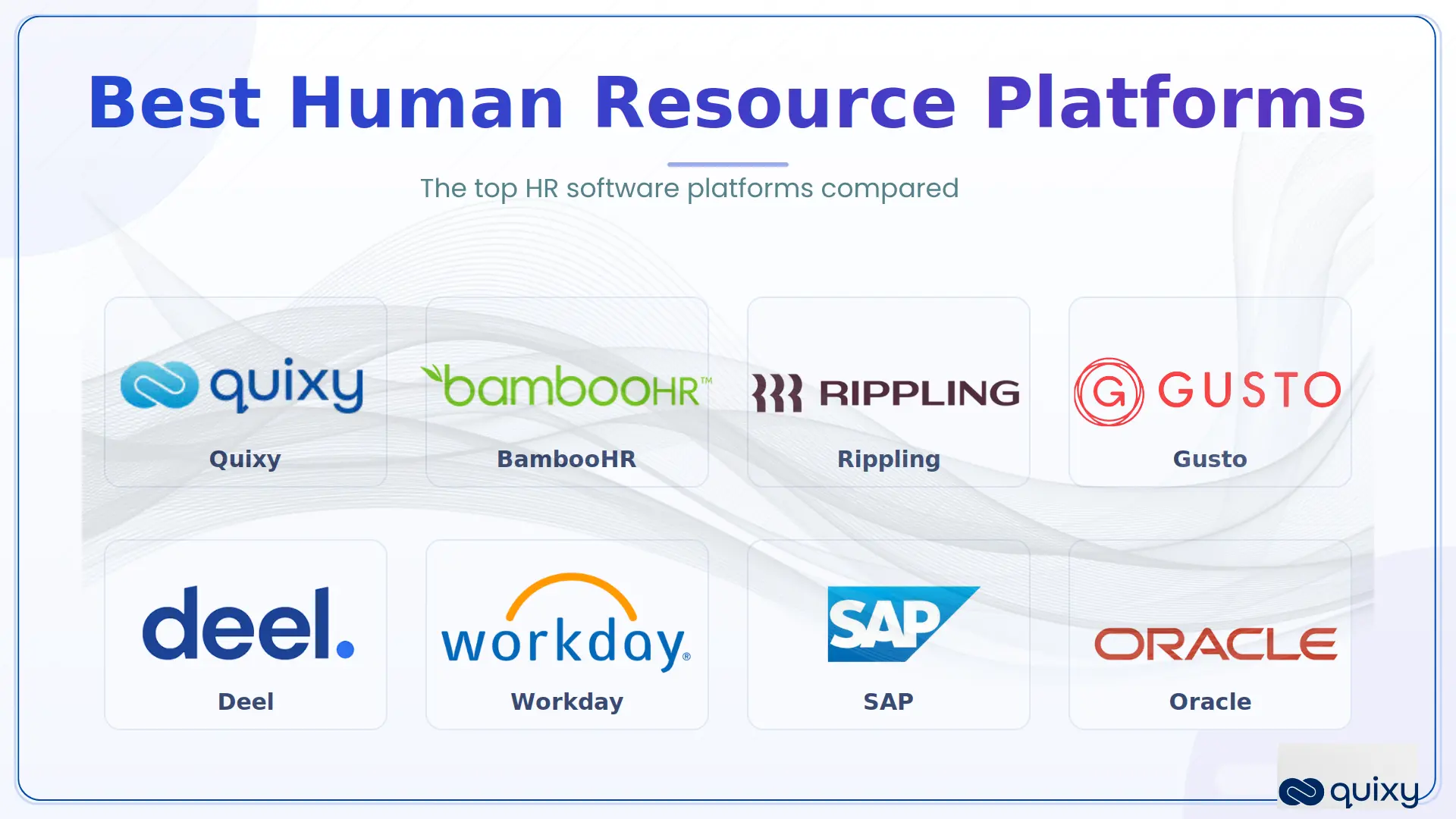
Here is our pick of the top HR software and HR platforms for 2026, grouped by category so you can compare like with like. Each entry notes what it’s best for, its key features, and a limitation to weigh — because the top HR software for one team is the wrong fit for another.
1. Quixy — best no-code HR platform
Quixy is a no-code platform (an aPaaS) that lets HR teams build the exact HR system they need — onboarding, approvals, performance reviews, time tracking, and analytics dashboards — without writing code. Unlike a fixed suite, it fits your processes, approval hierarchies, and compliance rules rather than forcing you to adapt to a vendor’s template. Its standout for data-driven HR is Caddie, a built-in AI analyst: ask questions of your people data in plain English — “which departments have the highest attrition?” — and get instant answers, charts, and reports, with no data team, SQL, or formulas required.
Key features: drag-and-drop workflow builder; Caddie AI analyst for natural-language HR analytics, on-demand reports, and real-time bottleneck detection; offline mobile access; role-based access control; and a complete audit trail. Best for: teams whose processes don’t fit off-the-shelf software and who want self-service HR analytics without a data team. Limitation: you build your system rather than buying a pre-packaged one — ideal for custom needs, more setup than a plug-and-play SMB tool. Explore Quixy for HR →
2. BambooHR — best for small and mid-sized businesses
BambooHR is known for an intuitive, easy-to-adopt interface covering core HR: employee records, time off, basic performance, and self-service. Key features: employee database, PTO tracking, onboarding, reporting. Best for: SMBs new to HR software that value ease of use. Limitation: lighter on advanced and compliance features as you scale.
3. Rippling — best for unifying HR, IT, and payroll
Rippling combines HR, payroll, benefits, and IT (device and app management) in one unified system, eliminating data silos across those functions. Key features: full employee lifecycle, automated multi-state payroll, IT provisioning, workforce analytics. Best for: companies that want HR and IT in one place. Limitation: the breadth can mean a learning curve for advanced features.
4. Gusto — best simple payroll + HR for small business
Gusto pairs straightforward payroll with the core HR features small businesses need, in a friendly interface. Key features: full-service payroll, onboarding, benefits administration, compliance alerts. Best for: small businesses that want reliable payroll with light HR. Limitation: you may outgrow it as advanced HR needs appear.
5. Deel — best for global teams and international hiring
Deel specialises in hiring, paying, and managing people across borders, including EOR (employer of record) and contractor management in many countries. Key features: global payroll, EOR, contractor compliance, international onboarding. Best for: distributed and global teams. Limitation: more focused on global employment than day-to-day domestic HR depth.
6. Workday — best enterprise HCM
Workday is an enterprise HCM platform built for large, complex, and global organisations, with advanced analytics and finance integration. Key features: workforce planning, global HR, talent management, AI-powered insights. Best for: enterprises with complex or international needs. Limitation: implementation cost and complexity are significant for smaller organisations.
7. SAP SuccessFactors — best for talent management at enterprise scale
SAP SuccessFactors focuses on talent management and workforce planning, with deep integration for organisations already running SAP. Key features: talent suite, performance and goals, learning, workforce analytics. Best for: SAP enterprises needing advanced talent management. Limitation: can be complex and heavy for smaller teams.
8. Oracle HCM Cloud — best for enterprise analytics and global reach
Oracle HCM Cloud offers a comprehensive enterprise HR suite with strong analytics and global compliance. Key features: full talent suite, global payroll, succession planning, AI recruitment. Best for: large enterprises needing analytics and global capability. Limitation: implementation complexity and cost.
HR software comparison
| Platform | Category | Best for | Watch-out |
|---|---|---|---|
| Quixy | No-code / build-your-own | Custom HR processes without IT | Build vs buy — more setup |
| BambooHR | All-in-one suite | SMB ease of use | Lighter advanced features |
| Rippling | All-in-one suite | HR + IT + payroll unified | Learning curve |
| Gusto | Payroll-first | Simple SMB payroll + HR | Outgrown as you scale |
| Deel | Global HR / EOR | International hiring | Less domestic HR depth |
| Workday | Enterprise HCM | Complex/global enterprises | Cost and complexity |
| SAP SuccessFactors | Enterprise HCM | SAP + talent management | Heavy for small teams |
| Oracle HCM | Enterprise HCM | Enterprise analytics/global | Implementation complexity |
How to choose the right HR software
The best HR software is the one that fits your organisation — not the one with the longest feature list. Work through five steps:
- Start with your pain points. Document where manual work and errors cost you most today; that’s where the software should deliver first.
- Match the category to your size. SMBs are usually best served by an all-in-one suite or payroll-first tool; enterprises by HCM; process-heavy or fast-changing teams by a no-code platform.
- Check integrations. The platform should connect cleanly with your existing payroll, finance, and other tools — poor integration recreates the silos you’re trying to remove.
- Weigh flexibility vs speed. Off-the-shelf suites deploy fast but bend your process to fit; no-code platforms take a little more setup but fit your process exactly.
- Trial before you commit. Run demos and a pilot on your real use cases, and involve the people who’ll actually use it — adoption makes or breaks the investment.
For the people-side of getting this right — aligning the system to your workforce plan and strategy — see our guides to human resource planning and strategic human resource management. If shift scheduling and time are your core challenge rather than full HR, our workforce management software guide covers that category specifically.
HR software by company size
The best HR software shifts sharply with company size, because the problems change as you grow:
- Small business (under ~50 employees). Prioritise simplicity, transparent pricing, and reliable payroll. HR software for small business like Gusto or BambooHR gets you running fast without a heavy implementation. If your processes are unusual, a no-code platform lets you start small and expand.
- Mid-market (~50–1,000 employees). You need deeper automation, integrations, and reporting. All-in-one suites like Rippling and BambooHR fit well — often alongside a no-code platform for the processes a suite doesn’t cover.
- Enterprise (1,000+ employees). Complexity, global compliance, and analytics dominate. Enterprise HCM (Workday, SAP SuccessFactors, Oracle HCM) is built for this scale, frequently complemented by a no-code layer for the custom workflows the core suite can’t handle.
Common mistakes to avoid when choosing HR software
- Buying on price alone. The cheapest tool can cost more over time through hidden fees, weak support, and limited functionality that forces a migration later.
- Ignoring adoption. The best HR platform fails if people won’t use it. Involve end users early and prioritise a clean self-service experience.
- Underestimating integration. HR software that doesn’t connect to payroll, finance, and your existing stack recreates the data silos you’re trying to remove.
- Forcing your process into rigid software. If a suite can’t match how you actually work, you end up changing your process or bolting on workarounds — the reason many teams choose a no-code platform instead.
- Skipping the pilot. Never roll out organisation-wide without testing on real use cases, with real users, first.
When off-the-shelf HR software doesn’t fit, build your own — with no code
Most HR platforms make you adapt to their template. Quixy lets you build the exact HR system your team needs — onboarding, approvals, reviews, time tracking, and dashboards — and change it whenever your processes do, without writing a line of code or waiting on IT. Its built-in AI analyst, Caddie, turns your people data into answers and reports in plain language — no data team required.
Conclusion
There is no single best HR software — only the best fit for your size, budget, and processes. Small businesses are well served by BambooHR, Rippling, or Gusto; global teams by Deel; enterprises by Workday, SAP SuccessFactors, or Oracle; and teams whose processes don’t fit a fixed suite by a no-code platform like Quixy. Start from your pain points, match the category to your needs, and trial before you buy.
Frequently asked questions about HR software
What is HR software?
HR software is a digital system that helps organisations manage people and automate HR processes — payroll, hiring, onboarding, time, benefits, and performance — in one platform. It’s also called human resources software, an HR platform, or an HR system.
What is the difference between HR software and an HRMS?
The terms overlap heavily and are often used interchangeably. Strictly, an HRMS (human resource management system) manages both HR data and workflows; “HR software” is the broader umbrella term for any software that manages HR. Most modern HR platforms are HRMS-class systems.
What is the best HR software for small business?
For most small businesses, BambooHR (ease of use), Gusto (simple payroll + HR), or Rippling (HR + IT + payroll) are strong choices. Teams with processes that don’t fit a fixed tool may prefer a no-code platform like Quixy.
How much does HR software cost?
Most HR platforms price per employee per month, and cost varies widely by features, company size, and whether payroll is included. SMB tools tend to be transparent per-seat pricing; enterprise HCM is typically custom-quoted. Always factor in implementation and support, not just the licence.
What are HR platforms and HR systems?
“HR platform” and “HR system” are just other names for HR software — a system that centralises and automates HR processes. The label matters less than whether the platform fits your size, integrations, and processes.
Can I build my own HR software?
Yes. No-code platforms like Quixy let HR teams build custom HR applications and workflows — onboarding, approvals, trackers, dashboards — without writing code, which is ideal when off-the-shelf software can’t match your processes.

Recent Posts



- Download the App