
An HRMS (Human Resource Management System) is a software platform that integrates and automates core HR functions — including employee records, payroll, attendance, leave management, recruitment, performance, training, and compliance — into a single centralised system. It eliminates manual HR administration and gives HR teams, managers, and employees real-time access to people data and self-service HR tools.
As organisations grow, managing people becomes exponentially more complex. What worked with 50 employees — spreadsheets, email approvals, paper forms — breaks down at 500. Data is scattered across systems that do not communicate. Payroll errors surface at month-end. Compliance records are impossible to compile quickly. Onboarding is inconsistent across departments.
The only sustainable solution is a Human Resource Management System. Not because technology is a trend — but because the volume and complexity of people operations at scale cannot be managed reliably any other way.
This guide covers everything HR leaders, IT decision-makers, and operations managers need to know about HRMS in 2026: what it is, the three core HR software categories, the 18 functions it manages, the benefits it delivers, how to implement it, and how to choose the right system for your organisation.
$26.5B projected global AI in HR market value by 2033 — reflecting the scale of enterprise investment in intelligent HRMS and people analytics platforms.
Source: MarketsandMarkets
Only 23% of employees worldwide feel engaged at work — a challenge that modern HRMS platforms directly address through self-service, recognition, continuous feedback, and personalised development tools.
Source: Gallup State of the Global Workplace
The Global AI in HR Market is expected to reach a value of approximately $26.5 billion by 2033
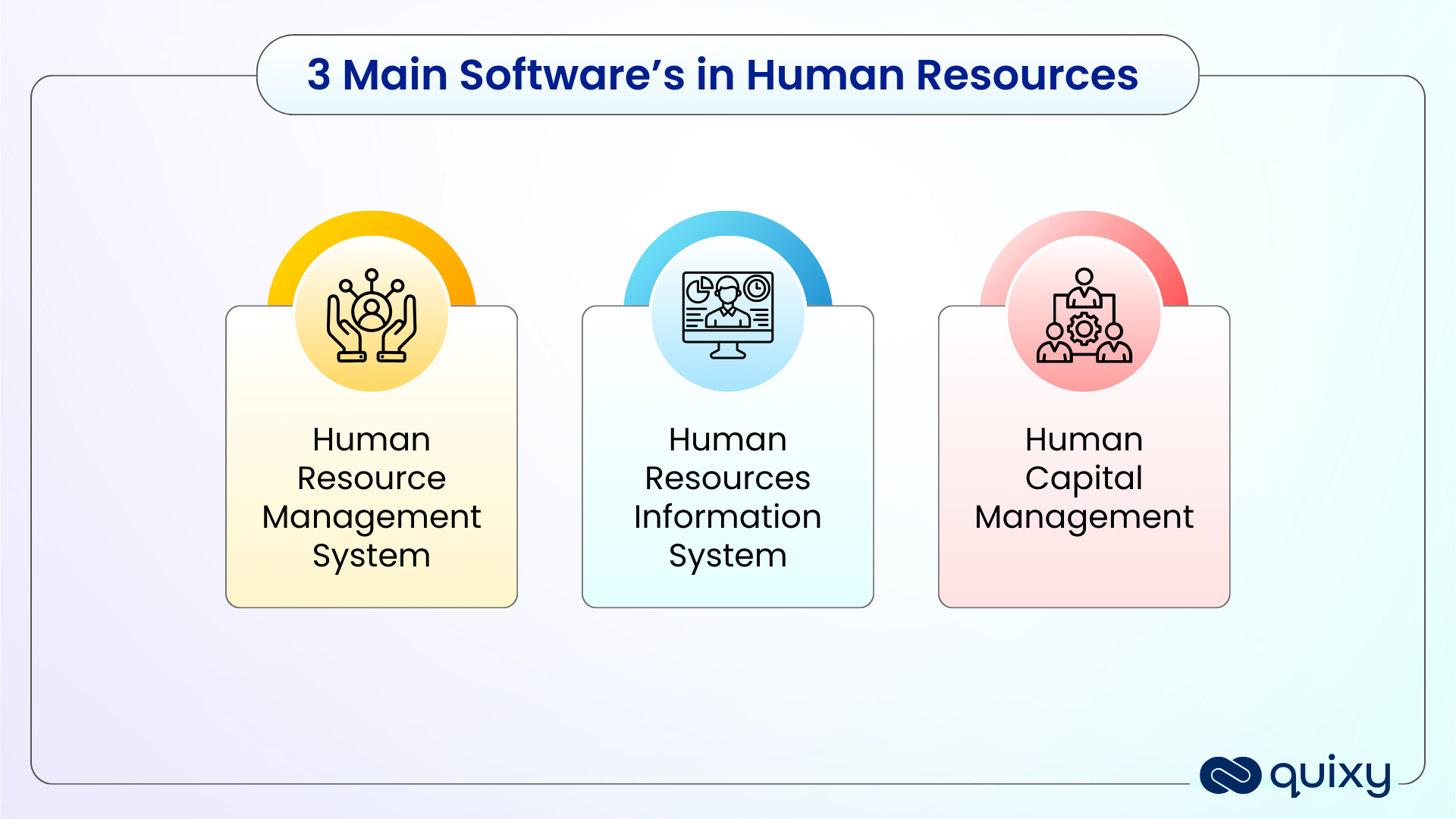
What are the 3 Main Software for Human Resources?
HR software is not one category — it is three distinct categories that are often used interchangeably but serve different scopes of HR management. Understanding the differences is the starting point for choosing the right solution.
| System | Full Name | What It Covers | Best For |
|---|---|---|---|
| HRIS | Human Resource Information System | Employee records, payroll, leave, attendance, basic compliance. The system of record for employee data. | Organisations needing centralised employee data management and core process digitisation |
| HRMS | Human Resource Management System | Everything in HRIS plus recruitment, onboarding, performance management, training, and benefits administration | Organisations needing end-to-end HR process management across the full employee lifecycle |
| HCM | Human Capital Management | Everything in HRMS plus strategic workforce planning, succession planning, compensation analytics, skills management, and AI-driven people insights | Large enterprises with complex global workforce management, advanced analytics, and strategic talent requirements |
In practice, most growing organisations begin with HRIS for data management, expand to HRMS for process automation, and eventually adopt HCM capabilities as their workforce strategy becomes more sophisticated. Quixy’s aPaaS platform spans all three layers — HR teams build custom applications for every stage of this journey without writing code and without replacing existing systems.
Also Read: No-Code for HR: How Non-Technical HR Teams Build Powerful Workflows Without IT

Why Do Organisations Need HRMS Software?
The modern workforce is fundamentally different from the workforce that paper-based HR processes were designed to manage. Millennials and Gen Z employees now comprise the majority of the working population — they expect digital-first experiences, instant access to information, and self-service tools that mirror the consumer apps they use daily.
Beyond employee expectations, the operational reality of growing organisations creates pressure that manual HR simply cannot sustain:
- A 500-person organisation processes thousands of leave requests, expense claims, payroll calculations, and performance records per year — all of which require data entry, routing, approval, and archiving
- Multi-location or multi-country operations require consistent policy application and compliance management across jurisdictions — impossible to maintain manually at scale
- Regulatory requirements for payroll accuracy, tax compliance, and employment record-keeping create legal liability when managed through spreadsheets and email
- Leadership decisions on headcount, compensation, training investment, and succession planning require workforce data that is current, accurate, and accessible — not compiled manually from multiple sources
HRMS software solves all four problems simultaneously by digitising, automating, and integrating every HR process into a single governed system.
Also Read: HR Workflow Automation: The Executive Guide to 10 Core HR Processes
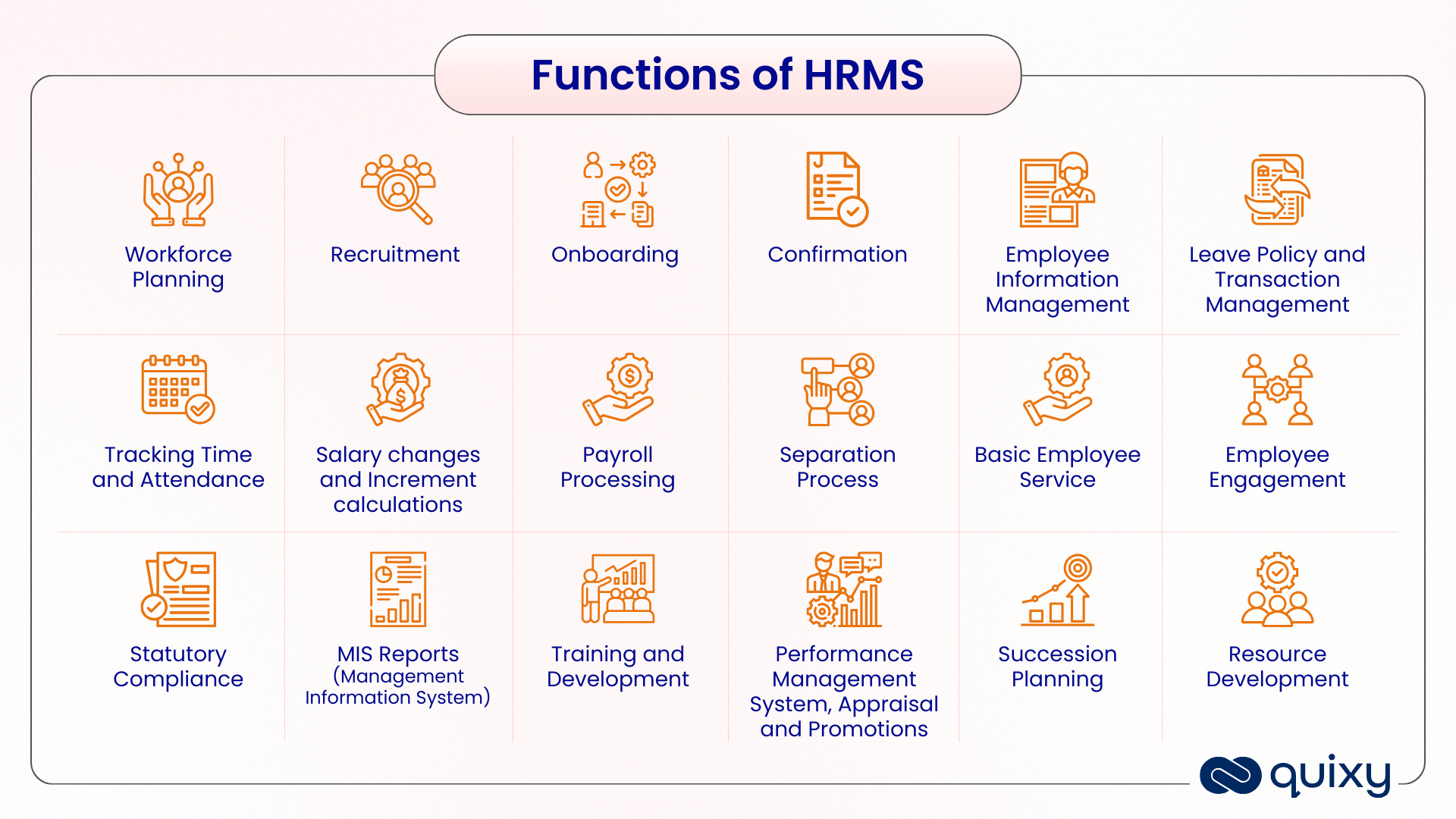
18 Core Functions of an HRMS
A comprehensive HRMS manages the complete employee lifecycle — from the first job posting to final offboarding and everything in between. These are the 18 core functions that an enterprise HRMS should cover.
| Function | What It Manages |
|---|---|
| Workforce Planning | Headcount planning, skills gap analysis, succession planning, and organisational design |
| Recruitment | Job requisition, posting, applicant tracking, interview scheduling, offer management |
| Onboarding | Pre-joining documentation, system access setup, training assignment, induction scheduling |
| Employee Information Management | Centralised employee records, personal data, employment history, document storage |
| Leave Policy and Management | Leave policy configuration, request submission, approval routing, balance tracking, payroll integration |
| Time and Attendance Tracking | Clock-in/out recording, timesheet management, overtime tracking, shift scheduling |
| Payroll Processing | Salary calculations, deductions, tax filings, payslip generation, direct deposit triggering |
| Salary Changes and Increments | Compensation revision workflows, increment approvals, salary history tracking |
| Performance Management | Goal setting, continuous feedback, performance reviews, appraisals, promotion workflows |
| Training and Development | Training needs capture, programme scheduling, attendance tracking, effectiveness measurement |
| Employee Self-Service | Employee portals for leave requests, payslip access, personal data updates, HR queries |
| Employee Engagement | Pulse surveys, recognition programmes, feedback tools, engagement score tracking |
| Benefits Administration | Benefits enrolment, eligibility management, life event changes, premium calculations |
| Statutory Compliance | PF, ESI, tax deduction compliance, labour law adherence, compliance report generation |
| Separation Process | Resignation management, exit formalities, knowledge transfer, final settlement, offboarding checklists |
| MIS Reports | Management information reports, HR dashboards, workforce analytics, custom report generation |
| Succession Planning | Leadership pipeline identification, high-potential employee tracking, role readiness assessment |
| Resource Development | Skills development tracking, career pathing, L&D programme management, certification recording |
Also Read: Complete Guide to the Approval Process and Workflow | Workflow Automation in Remote Learning: Enterprise L&D Guide
What are the benefits of using HRMS Software?
While managing an organization’s resources, we can find many possibilities where data can be automated. Where AI (Artificial Intelligence) is becoming the booming tech, every workflow in HRM can be geared toward workflow automation, and that is Automated HRM Software. These software applications are not just used for big giant organizations; growing companies and startups can also start using HRMS software. Here are some benefits of using HRMS Software:
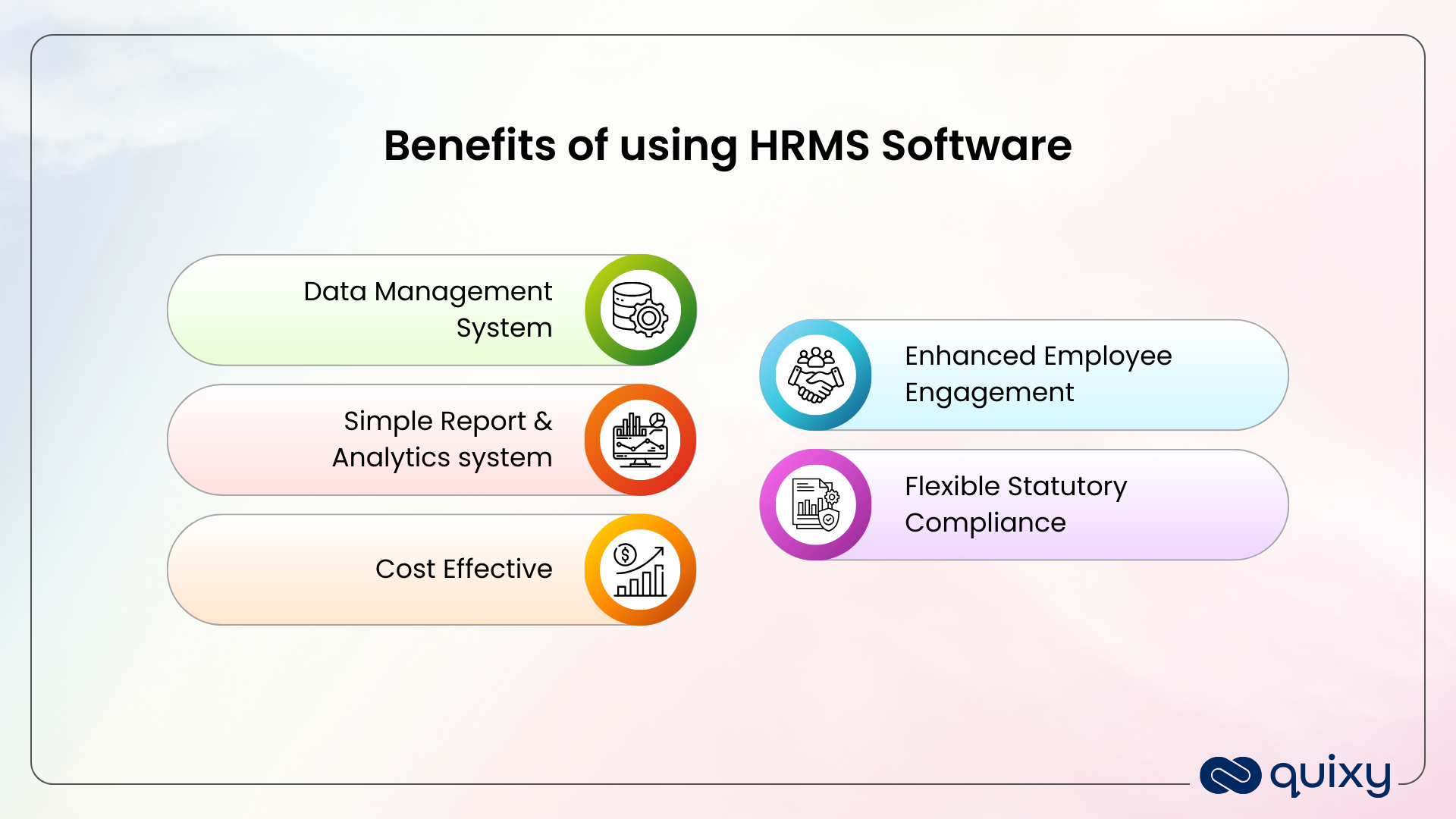
Data Management System
The HR department deals with the most sensitive information. They manage the data of the employees and organization. If this information is stored and secured in a paper-based workflow, it may be lost due to theft or damage, and it requires a huge investment.
However, Spreadsheets, automation, and AI have proven to have error-free workflows, require less time, and eliminate the problem of misplacement. This also allows us to track data in real-time and get data access to various other HR functions like HRMS payroll system and leave attendance, as well as help in employee engagement in the organization.
Also Read: Faster, Safer, Smarter: Vendor Onboarding Reinvented
Simple Report & Analytics system
Using an HRM system, companies can adopt a data-driven approach, where analytics determine the exact behaviour of people and manage the workforce. This makes decision-making easy by identifying issues before escalating them.
Cost Effective
The modern HRMS system can work for both small and big giant firms. It is cost-effective and has modern technology that can be integrated with a cloud management system. The money invested in the RMS system procures profits with a speedy workflow and helps us make real-time decisions. The leave and payroll management systems can also run smoothly by removing duplicating information. Thus, it saves time and improves the efficiency of the HR department.
Also Explore: HR Process Automation: A Comprehensive Guide
Enhanced Employee Engagement
Adopting automated HRMS will help organizations to improve employee engagement. It makes it easy to reach employees or provide an employee self-service portal. Like leave management, accurate human resources compensation management system, etc., with automation, a Performance Management System can be created to ensure high employee performance by assigning goals and enhancing satisfaction levels.
Flexible Statutory Compliance
Using HRMS, you can ensure a regular compliance statuary update. This provides hygienic support for company management at the tool’s back end. So that the organization you are not required to hunt a separate legal consultancy for the evolving changes and regulations of present constitutions.
These are a few benefits of HRMS. However, the effective management of a dynamic business is ensured only with proper implementation and optimization of the HRMS system. Let us find out what exactly a firm requires.
Also Read: 20 Essential Features of your Workflow Management System
Implementation & Optimization of HRMS Software System
An organization using an HRMS system saves costs and maximizes its maximization with systematic management. However, implementing this key aspect requires planning and execution. Here, we explore the critical steps to implementing the HRMS System in business organizations.
1. Objective and Needs
It is important for companies to have a sharp vision of what they want to achieve by implementing the HRMS system. By defining the goals, you can find the right level of stream and use. Are you looking for leave attendance, payroll, recruitment, or ERP-level software with a complete HR application? Identifying this need will help choose the right system that aligns with the business goals.
2. Selecting the Right HRMS System
There is a wide range of HRMS systems. Organizations can choose the best HRMS systems depending on their scalability, integration, support, and ease of use. Be sure to pick a solution that offers robust security, GDPR, and other benefits.
3. Prepare a Detail Implementation Plan
A successful HRMS is only implemented if planned and has well-structured work as the organization’s backbone. It should consist of the following details.
- Project scope
- Timeline
- Budget
- Resource
- Risk Assessment
4. Auditing Data
You should always gather accurate information while transforming traditional human resource management to modern cloud technology. This helps ensure the smooth implantation of HRMS. Data auditing makes it easy to clean up the data and identify inconsistencies, duplicates, and outdated information.
Also Read: Top 10 Critical Gaps for HR in the Retail Industry
5. Build a Customized HRMS System
Build a Customized HRMS customized a tailored HRMS system and ensure it is customized and configured specifically for your needs.
- Do align the HRM software with existing HR processes and ensure seamless integration.
- Define your levels and maintain robust data security.
- Building a unified ecosystem for HRMS so that all integration is done with all the other work systems.
6. Comprehensive training for HR staff
To implement successful HRMS software, the organization should organize a comprehensive training program for the HR staff who work closely as end users. There should be a proper communication plan for providing clear support during this whole transition. The training should consider the of
- HRMS System Navigation
- System process training
- Guidance in case of Troubleshooting and support
- Recurring Training Sessions
7. Quality Assurance
It is advised that the organization perform quality assurance. This ensures that glitches are identified and resolved. Validates the system function using validity case functions and test scenarios.
8. Implementation of a Pilot Batch
After a QA test, consider running the application with a small batch or a specific department. This allows you to eliminate iron issues and consider real-world problems while using the tool.
9. Build Communication & Consider Change Management
Effective communication with employees at different levels must be considered when implementing a digital transformation. Users must adopt and accept the change process. The change management should consider having.
- About the Channels of Communication, like FAQ’s, Support resources and other
- Identify leads and train individuals, especially those who can advocate for their colleagues.
- To grow stronger, ensure that there is a feedback mechanism that helps in growth and improvement.
Also Read: 6 Steps for Effective Human Resource Planning
The Emerging Trends in Human Resources Management System Software
AI-Powered People Analytics and Predictive Insights
Modern HRMS platforms are moving beyond retrospective reporting to predictive intelligence. AI analyses workforce data patterns — attendance, performance, engagement, training completion, leave frequency — to identify attrition risks before employees resign, predict hiring needs six months in advance, and surface engagement issues before they affect retention. The shift is from “what happened last quarter” to “what is likely to happen next quarter and what should HR do about it now.”
360-Degree Continuous Performance Management
Annual performance reviews are being replaced by continuous feedback loops — structured check-ins, real-time goal tracking, 360-degree peer feedback, and development plan management that runs throughout the year rather than once in Q4. Modern HRMS platforms automate every step of this continuous performance cycle, ensuring consistent quality of feedback across all managers regardless of their natural inclination toward structured development conversations.
AI Chatbots and Virtual HR Assistants
AI-powered virtual assistants embedded within HRMS platforms are transforming how employees access HR services. Instead of emailing HR to check a leave balance or ask about a benefit, employees query the virtual assistant — available 24/7, responding instantly, available across channels including mobile, Slack, Teams, and WhatsApp. This reduces HR team query volume significantly while simultaneously improving employee experience through faster, always-available responses.
Personalised Employee Experience at Scale
The next generation of HRMS platforms delivers individual-level personalisation rather than department-level standardisation. Learning recommendations based on each employee’s performance data and career goals. Benefits packages configurable to individual life circumstances. Onboarding journeys tailored to role, location, and experience level. Communication preferences respected through channel selection. The employee experience shifts from one-size-fits-all to genuinely individual.
Also Read: Ultimate Guide to Top-Notch Resource Management Software
How to Choose the Right HRMS for Your Organisation
| Evaluation Criterion | What to Look For | Why It Matters |
|---|---|---|
| Payroll and compliance capability | Automated salary calculations, statutory deduction management, multi-jurisdiction compliance, tax filing support | Payroll errors create employee relations issues and legal liability — this must work perfectly |
| Budget and pricing model | Transparent per-employee pricing, no hidden module fees, clear upgrade path as headcount grows | Total cost of ownership often exceeds licence cost — implementation, training, and customisation add up |
| Customer support quality | 24/7 support availability, dedicated implementation support, documented SLAs for issue resolution | HRMS problems affect payroll and compliance — you need resolution in hours not days |
| Customisation capability | Ability to configure workflows, forms, approval chains, and dashboards to your specific processes without vendor involvement | Standard templates require compromises — the more you compromise, the less value you extract |
| Scalability | Architecture that handles 10x your current headcount, multi-entity and multi-currency support, global deployment capability | Replacing an HRMS after outgrowing it is expensive and disruptive — choose for where you are going not where you are |
| Integration with existing systems | Native API, pre-built connectors for payroll, ERP, attendance, and accounting systems, real-time data sync | An HRMS that cannot connect to your existing systems creates new manual work rather than eliminating it |
| Security certifications | ISO 27001, SOC 2, GDPR compliance, role-based access control, data encryption at rest and in transit | HR data is among the most sensitive in any organisation — security cannot be negotiated |
| Mobile access | Native iOS and Android apps, full feature parity with desktop, offline capability for field teams | Managers approve from anywhere — a mobile experience that drops offline is not enterprise-ready |
Quixy: Your All-in-One HRMS Powerhouse
As mentioned, choosing an All-in-One Powerhouse system like Quixy HRMS is always better. Quixy is a No-Code platform where applications for HRMS can be directly built by citizen development with minimal drag-and-drop options.
Without extensive coding knowledge, you can seamlessly build a rapid application for employees to access essential human resources document management systems for human resources and information. Here is why Quixy stands out:
Customization– The straightforward drag& drop option helps citizen developers build it properly and empower the HRMS as required. Can afford to create custom workflows, dashboards, and reports to have unique responses
Scalability—With Quixy, you get seamless integration and scalability. You can add the latest functionalities or integrate the existing system seamlessly.
Affordability –Quixy Offers cost-effective solutions that can be integrated with cloud management systems and cost-effective
Ease to Use – No prior need for experience, as it works on drag-and-drop options. HR professionals with minimal technological knowledge can only build and manage applications with Quixy.
Conclusion
HRM Software reports on how organizations manage the workforce and other business resources. By using automation, they can streamline effective business and foster employee engagement.
Quixy’s HRMS solution offers an EPR-level suite to drive excellence in every step, from onboarding to performance evaluation and administrative benefits. Consider having this HRMS tool in your organization for seamless HRM Workflow. Are you ready to unlock the potential of HR department with automation? Schedule a Demo now to see the difference firsthand.
Frequently Asked Questions ( FAQs )
Q. Which is better, On-Premises vs Cloud-based HRMS?
Considering the rapid changes in the work process, experts suggest selecting a cloud-based HRMS. On-premises HR software requires huge investments and is not flexible. It also involves colossal installation and maintenance costs. The vendor maintains the cloud-based step with certain charges based on the use and acquired features.
Q. Will HRMS software come with a mobile application?
Yes, most HRMS applications come with dedicated mobile software to improve communication with employees, as they can access it anytime and perform their routine operations.
Q. What is the difference between ERP systems and HR Systems?
ERP systems run complete business operations with limited functionalities related to the HRMS process. In contrast, HRMS software is specifically designed for human resource functions such as assisting, coordinating, planning, controlling, and evaluating employee performance and other management-related tasks.
Q. How can we shift to a digital HRM software system?
Shifting to a digital HRMS system involves careful planning. First, assess your current HR process, find your needs, and select the required software system. Start implementing the software with thorough training and ensure system integration and data migration. Make sure to evaluate continuously and optimize the system for efficiency of employee satisfaction and retention.
Q. Can I customise HRMS software for my specific processes using no-code?
Yes, you can build a customised Human Resource management software system using no code. It allows you to build tailored applications without coding like recruitment, onboarding, performance management and more.
Q . What is the HRMS Payroll software system used for?
It is an automated HRMS payroll software system to manage employee payroll processes. It is used to calculate and deduct taxes and generate payslips automatically with very little manual work.
Related Post


Please login to comment
0 Comments
Oldest
Recent Posts







- Download the App