
Managing employees has always involved a mountain of administrative work: tracking attendance, managing leave requests, running performance cycles, coordinating onboarding, and maintaining compliance documentation. For most organizations, this work happens across a combination of spreadsheets, email, forms, and disconnected systems — which means it happens slowly, inconsistently, and with a high risk of error.
An employee management app brings this work into a single system. But not all apps are built the same, and for organizations with specific or complex HR workflows, standard apps often create as many problems as they solve.
Be honest—do you ever feel like work is just…too much? You’re not alone. Nearly half of employees-47% report regularly feeling overwhelmed on the job.
This guide covers what to look for, how to evaluate your options, and — critically — when a customizable no-code solution beats buying an off-the-shelf platform.
What Is an Employee Management App?
An employee management app is a software platform designed to centralize and streamline the administrative, operational, and analytical tasks involved in managing a workforce. It serves as a unified system for HR managers, team leads, and employees — replacing fragmented manual processes with structured, automated workflows.
Employee Management App vs. HRMS vs. HCM
These terms are often used interchangeably, but they describe different scopes:
| Term | Scope | Primary Focus |
|---|---|---|
| Employee Management App | Core day-to-day HR operations | Attendance, leave, performance, onboarding, communication |
| HRMS (Human Resources Management System) | Full HR lifecycle including payroll | Recruitment, payroll, benefits, compliance, training |
| HCM (Human Capital Management) | Strategic workforce management | Talent development, succession planning, workforce analytics |
Employee management apps are the operational layer — the tools that managers and employees interact with daily. HRMS and HCM platforms include that layer but extend into payroll processing, benefits administration, and strategic workforce planning. For many organizations, especially mid-size businesses with non-standard HR workflows, an employee management app (particularly a customizable one) provides better fit than a full HRMS suite.
Who Needs an Employee Management App?
Any organization with more than a handful of employees benefits from centralizing HR operations. The specific drivers vary: HR teams drowning in manual paperwork, managers with no visibility into team attendance or performance, employees frustrated by slow leave approval processes, compliance teams struggling to maintain consistent documentation. If any of these are familiar, an employee management app addresses them directly.
10 Core Features Every Employee Management App Should Have in 2026
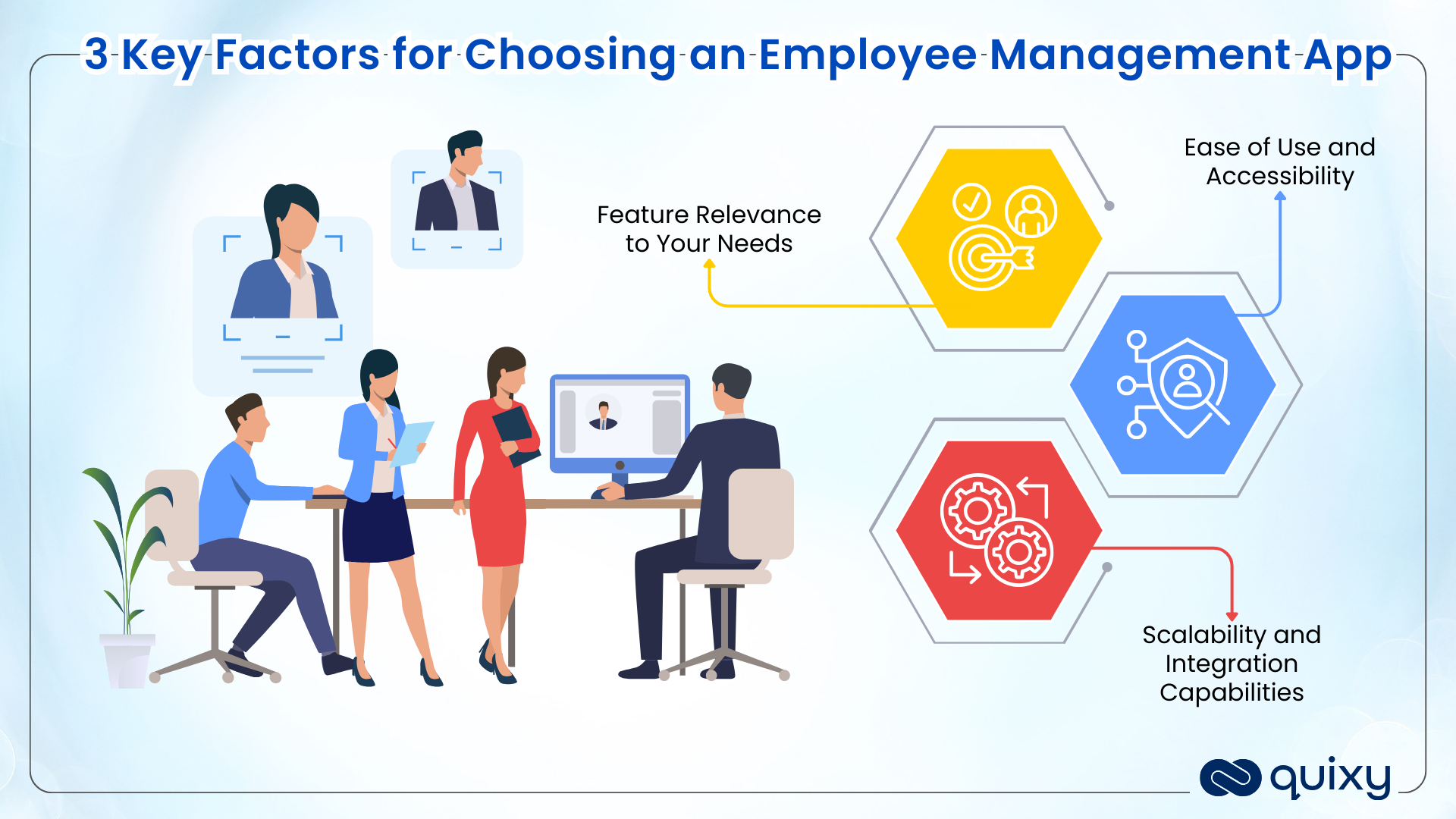
Not all apps deliver equal value across these categories. Use this list as a minimum standard when evaluating options.
1. Employee Records and Profile Management
A centralized, cloud-based repository for all employee data — contact information, job history, compensation, certifications, documents, and compliance records. Role-based access controls ensure sensitive information is visible only to authorized users, while a single source of truth eliminates the inconsistencies that come from maintaining the same data in multiple places.
2. Time Tracking and Attendance
Accurate tracking of when employees start and finish work, what projects they spend time on, and how their time distribution compares to planned allocation. In 2026, this includes mobile time tracking for field employees, offline capability for locations without consistent connectivity, and integration with payroll to eliminate manual time entry reconciliation.
3. Leave and Absence Management
A structured system for requesting, approving, and tracking time off — across multiple leave types (annual leave, sick leave, parental leave, compensatory leave), multiple locations, and multiple policies. Automated approval routing, leave balance visibility, and calendar integration reduce the administrative overhead of leave management from hours per week to minutes.
4. Performance Management and Reviews
Structured performance review cycles — including goal-setting, self-assessments, manager assessments, 360-degree feedback, and appraisal documentation — with automated scheduling, reminder workflows, and historical performance tracking. Performance management works best when it’s continuous (regular check-ins, ongoing feedback) rather than periodic (annual reviews).
5. Payroll Integration
At minimum, the app should integrate with your payroll system to pass time, attendance, and leave data automatically. Best-in-class employee management apps process payroll natively or offer direct integration that eliminates manual data transfer and the errors that come with it.
6. Onboarding and Offboarding Workflows
Structured digital workflows that guide new employees through everything they need before and during their first days — equipment setup, account provisioning, policy acknowledgments, introductions, and early training. Equally important: a structured offboarding process that captures knowledge transfer, revokes access, and manages compliance requirements when employees leave.
7. Communication and Engagement Tools
Channels for HR-wide communications (policy updates, announcements, culture initiatives), team-level communications, and direct employee-manager interactions — all integrated with the employee’s profile and HR record. Engagement tools — pulse surveys, recognition features, wellbeing check-ins — support the employee experience beyond administrative management.
8. Analytics and Workforce Reporting
Real-time dashboards that give HR managers and executives visibility into workforce metrics: headcount, attendance patterns, leave utilization, performance distribution, turnover risk signals, and productivity trends. Reports should be configurable to different roles and update without manual data compilation.
Also Read: Leave Management System: A Complete Guide for HR Teams
9. Mobile Access for Remote and Hybrid Teams
An employee management app that only works at a desktop is not designed for 2026’s workforce. Mobile-first access — including offline capability for field employees — ensures that time tracking, task updates, leave requests, and manager approvals happen in real time regardless of location.
10. Role-Based Access and Data Security
Granular permission controls that restrict data visibility to appropriate roles. An individual employee should see their own records. A manager should see their team’s. HR should see all employee data. Executives should see aggregate analytics. Security certifications (ISO 27001, SOC 2) and compliance controls (GDPR, local labor law) are non-negotiable for any organization managing sensitive employee data.
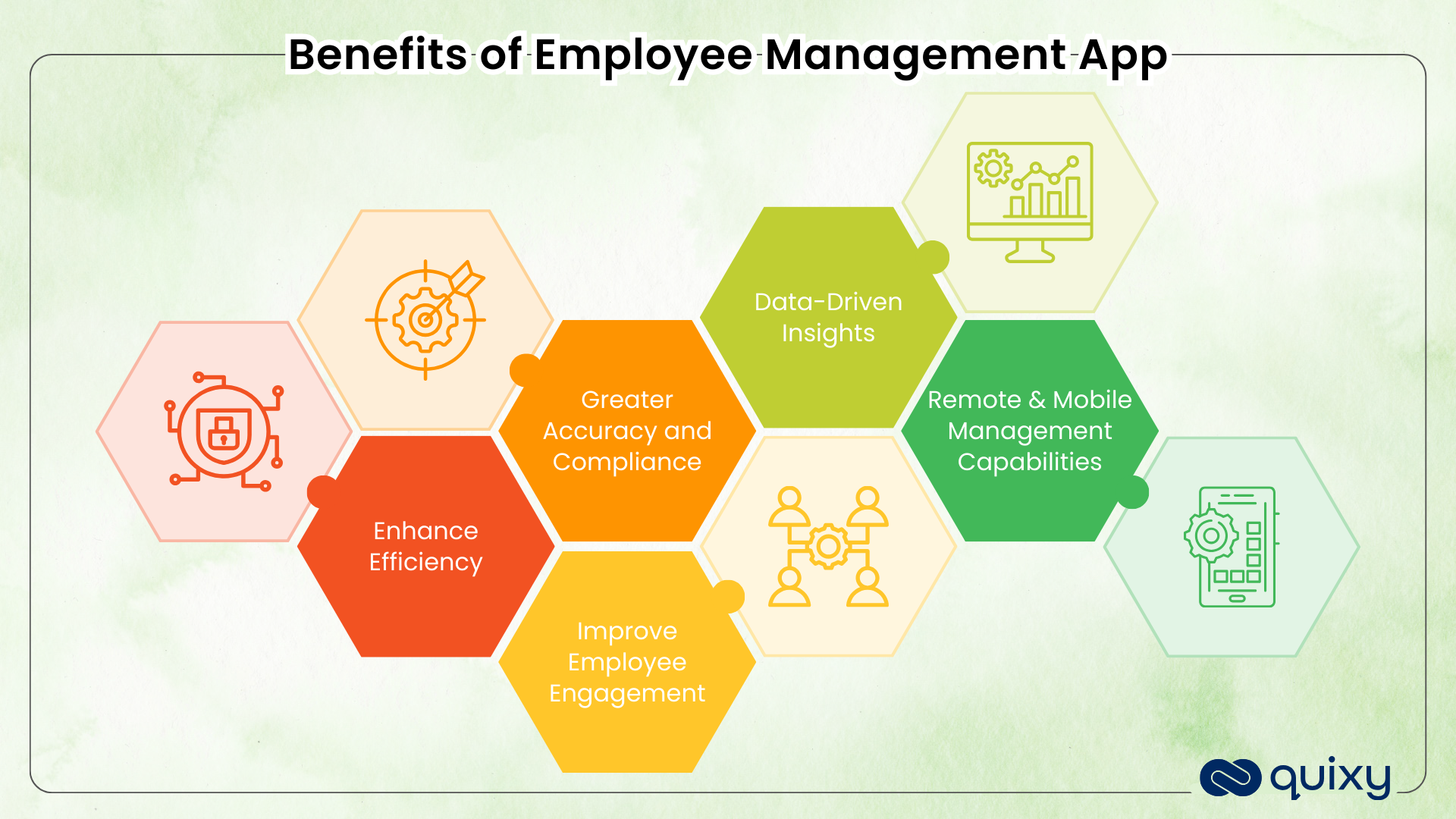
The Benefits of Using an Employee Management App
Reduced Administrative Overhead
Automating time tracking, leave approvals, performance review reminders, and onboarding workflows eliminates hours of manual work every week. HR teams that previously spent significant time on paperwork can redirect that capacity to strategic initiatives.
Better Data Accuracy and Compliance
Manual HR processes generate errors — missed entries, inconsistent records, lost documentation. A centralized employee management system with automated validation reduces error rates significantly and creates a reliable audit trail for compliance purposes.
Improved Employee Experience and Self-Service
When employees can check their leave balance, submit time-off requests, update their personal information, and access their payslips without contacting HR, they get faster service and HR teams get fewer interruptions. Self-service portals improve employee satisfaction while reducing administrative workload simultaneously.
Real-Time Visibility into Workforce Metrics
Managers who can see attendance patterns, workload distribution, and performance data in real time make better decisions about resourcing, scheduling, and team support — before problems become crises.
Support for Remote, Hybrid, and Field Teams
An employee management app designed for modern work models enables distributed teams to stay coordinated — with mobile access, offline capability, and location-aware features (like geo-tagged attendance for field workers) that purely desktop-based systems cannot provide.
Types of Employee Management Apps
Understanding the categories helps you evaluate where Quixy fits in the landscape.
Full HRMS Platforms
BambooHR, Rippling, Gusto, and Workday are full HRMS platforms — they handle the complete HR lifecycle including payroll, benefits, recruiting, and compliance across standard workflows. They’re the right choice when your HR processes are broadly standard and you want a single platform that covers everything out of the box. The trade-off: they’re designed for the average organization, and customizing them to fit unusual workflows is limited and expensive.
Workforce Management Tools
Connecteam, Dayforce, and When I Work are optimized for shift-based and frontline workforces — with strong scheduling, time tracking, and labor cost management features. The right choice for retail, hospitality, logistics, and field services where shift management is the primary HR operational challenge.
No-Code Employee Management App Builders
Quixy sits in a distinct category: rather than providing a fixed set of HR features, it provides the platform to build exactly the employee management workflows your organization needs — without writing code.
This is the right choice when your HR processes don’t fit standard templates: when your onboarding involves multiple departments with complex routing, when your performance management cycle is customized to your organizational structure, when your field workforce requires geo-tagged attendance and offline capability, or when your compliance requirements mandate specific data capture and audit trail formats that no off-the-shelf platform supports.
Also Read : Employee Onboarding Software: Ultimate Guide For Choosing the Perfect Solution!
How to Choose the Right Employee Management App: A 6-Step Evaluation Framework
Step 1 — Audit Your Current HR Processes and Gaps
Before evaluating any platform, document how HR work currently flows. Which processes are done manually? Where do errors happen most frequently? What do employees complain about most? What does the compliance team struggle to document? This audit becomes your evaluation scorecard.
Step 2 — Define Must-Have vs. Nice-to-Have Features
From your audit, identify the features without which the app cannot solve your most pressing problems. These are non-negotiables. Everything else is a bonus. Being clear on this prevents buying an expensive platform for features you’ll rarely use while missing capabilities you critically need.
Step 3 — Assess Your Team’s Technical Capability
Some employee management apps require significant IT involvement to configure and maintain. Others are designed for HR managers and team leads to operate independently. Be honest about your team’s capacity and choose a platform that matches it — both for implementation and ongoing management.
Step 4 — Evaluate Integration Requirements
Your employee management app will need to exchange data with other systems — payroll software, project management platforms, ERP systems, identity providers for SSO. Identify your integration requirements before shortlisting platforms, and verify that each candidate can meet them without expensive custom development.
Step 5 — Consider Customization and Scalability Needs
Ask two forward-looking questions: Can this platform accommodate how our HR processes will evolve over the next 3 years? And when our team doubles in size, does this platform scale without requiring a re-implementation? For organizations with standard and stable HR processes, most platforms pass this test. For organizations with evolving or non-standard processes, no-code platforms provide substantially better long-term flexibility.
Step 6 — Pilot Before Committing
Run a structured pilot with one team or one process before full deployment. Measure adoption honestly — not whether people can use it, but whether they choose to use it consistently. A platform that the team works around rather than through is not the right platform, regardless of its feature list.
Also Read: Meeting Management Solution: Top 5 Benefits of Using Quixy
When Standard Employee Management Apps Aren’t Enough
Standard HRMS platforms are designed for the modal organization — the one whose HR workflows most closely resemble the average. If your organization is the average, they work extremely well.
But a surprising number of organizations aren’t the average. Here are the signals that you need a customizable solution rather than a standard app:
Your onboarding involves multiple departments with different approval requirements for each. Standard onboarding checklists can’t model this. You need a workflow that routes tasks to IT, Admin, HR, and the hiring manager — with different deadlines, different escalation rules, and different form data for each.
Your field workforce needs geo-tagged attendance and offline capability. Standard HR apps are designed for desk workers. Field employees need to mark attendance from a job site, complete inspection checklists without internet access, and have their submissions sync automatically when connectivity is restored.
Your performance management cycle is unique to your organization. Custom appraisal frameworks, multi-level review chains with conditional routing, department-specific rating criteria — standard platforms can’t model these without expensive customization.
Your compliance requirements mandate specific data capture and audit structures. If your industry or regulatory environment requires specific information at specific workflow stages, with verifiable audit trails, you need a platform you can configure precisely — not one you must work around.
Also Read: What is Collaboration Software? 6 Critical Factors For Selecting the Right Software
How Quixy Builds Custom Employee Management Apps
Quixy is a no-code, AI-powered platform that lets HR and operations teams build exactly the employee management system their organization needs — using a visual drag-and-drop interface, without writing a single line of code.
With Quixy, organizations have built:
Custom onboarding workflows that trigger automatically on offer acceptance — routing tasks to IT for account setup, Admin for workstation preparation, HR for policy briefings, and the manager for Day 1 welcome and 30/60/90-day check-ins. Every step tracked, every deadline enforced, every deviation escalated automatically.
Geo-tagged field attendance systems where field employees check in and out via mobile app with location verification — eliminating attendance fraud, enabling accurate time tracking across sites, and providing supervisors with real-time field presence dashboards.
Multi-level performance appraisal workflows with conditional routing based on role, department, and appraisal outcome — self-assessment → peer review → manager review → calibration → final approval — all tracked, timestamped, and reportable.
Employee self-service portals for leave requests, expense submissions, training registrations, and document access — reducing HR ticket volume while giving employees faster service regardless of their location.
Also Read: Process Mining 101: Unveiling the Dynamic Secrets of Your Business Workflows
Employee Management Apps for Remote and Hybrid Teams
The shift to distributed work has raised the bar significantly for what an employee management app must do. Mobile access, offline capability, and location-aware features are now baseline requirements, not differentiators.
For remote and hybrid teams, the highest-value capabilities in an employee management app are: mobile-first task completion, self-service portals that don’t require a desk, asynchronous approval workflows that don’t require manager and employee to be online simultaneously, and real-time dashboards that give managers visibility without requiring check-in meetings.
For the full framework on managing distributed teams, see our Remote Workforce Management guide →.

Also Read: Mastering Processes with Advanced Business Process Management Systems Technology
Real-World Example of Employee Management Solutions
Managing a large, distributed field workforce was challenging for NTrust, a leading insurance broking firm in India. Manual task assignments, delayed approvals, and limited visibility were hurting productivity and leaving resources underutilized.
NTrust required a solution that could streamline operations without introducing additional complexity. Quixy’s no-code platform automates task allocation and real-time tracking, empowering field agents to receive tasks instantly on mobile devices, while managers gain actionable insights through dashboards.
The results were impressive:
- 40% improvement in staff utilization
- Reduced operational costs thanks to fewer manual processes
- Significant boost in overall productivity
Venkat Patrudu, Vice President at NTrust, said: “Adoption of the Quixy platform has helped us accelerate our digital initiatives. Our staff utilization has improved by 40%.”
This story illustrates how a customized employee management solution can optimize workflows, enhance team efficiency, and deliver measurable business results—demonstrating Quixy’s expertise in helping organizations manage HR processes more effectively, efficiently, and reliably.
Build the Employee Management System Your HR Team Actually Needs
Standard platforms manage the average organization. Quixy builds the system your organization actually needs.
Whether it’s a custom onboarding workflow that routes across five departments, a geo-tagged field attendance app for your service teams, or a multi-level performance appraisal system that matches your organizational structure — Quixy builds it without code, deploys it in days, and evolves it as your processes change.
👉 Schedule a Demo → 👉 Explore Quixy for HR Teams → 👉 Compare Workforce Management Software →
Frequently Asked Questions ( FAQ’s )
Q. How do I choose the best employee management app for my business?
To choose the best employee management app, identify your business’s specific needs, such as time tracking, payroll integration, or performance management. Look for an app with a user-friendly interface, mobile accessibility, and the ability to integrate with existing tools. Scalability is essential for growing businesses, while customizable features ensure the app adapts to your unique requirements. Testing demos or free trials can also help assess the app’s usability and relevance.
Q. Can an employee management app help reduce HR workload?
Absolutely. An employee management app significantly reduces the HR workload by automating repetitive tasks such as attendance tracking, payroll processing, and employee record management. It eliminates manual data entry and provides centralized access to information, allowing HR teams to focus on strategic activities like employee engagement and workforce planning.
Q. Can an employee management tool integrate with other tools?
Integration is a must for efficiency. A good employee management application should connect with payroll systems, accounting platforms, CRMs, and communication tools.
Quixy offers seamless integrations through APIs and pre-built connectors, helping your HR ecosystem run smoothly without duplicate work.
Q. How can I ensure high adoption of an emp management app among employees?
High adoption comes from ease of use, transparency, and self-service features.
Choose HR software with an intuitive interface and clear value for employees, such as quick leave requests or instant access to payslips. Quixy’s no-code HRMS solution allows you to design user-friendly applications tailored to employee needs—boosting engagement and adoption.
Q. What is the difference between an employee management app and HRMS software?
Employee management apps focus on day-to-day HR operations. HRMS (Human Resources Management System) platforms cover the full HR lifecycle including payroll, benefits administration, and compliance management. Many organizations use an employee management app for operational workflows and integrate it with a payroll system, rather than deploying a full HRMS.
Q. When should I choose a no-code employee management app over a standard platform?
Choose no-code when your HR workflows are complex, cross-departmental, compliance-driven, or frequently evolving. Standard platforms like BambooHR and Rippling are excellent for standard workflows. When your processes don’t fit their templates, you’ll spend more time working around the tool than using it. No-code gives you a system that fits your reality.
Q. Can Quixy replace our existing HRMS?
Quixy can replace specific operational HR workflows — onboarding, task management, compliance tracking, field attendance — and integrate with your existing payroll system. It is not a full HRMS replacement for organizations that need built-in payroll processing and benefits administration. For most use cases, Quixy complements your existing HR infrastructure by handling the workflows that standard systems can’t accommodate.
Related Post

Please login to comment
0 Comments
Oldest
Recent Posts







- Download the App