
Enterprise organizations depend on efficient and standardized processes to maintain operational excellence, improve productivity, and support sustainable growth. Business Process Automation Software for Enterprises enables organizations to automate repetitive workflows, streamline approvals, improve process visibility, and reduce manual effort across departments. By automating critical business operations, enterprises can enhance efficiency, strengthen compliance, and accelerate their digital transformation initiatives.
As organizations expand, managing workflows through emails, spreadsheets, and disconnected systems often leads to inefficiencies, delays, and limited visibility into business processes. To address these challenges, enterprises are increasingly adopting automation platforms that support workflow standardization, system integration, and process optimization at scale. Selecting the right automation solution can help organizations improve operational agility, reduce costs, and create a more connected and efficient workplace.
Why Enterprises Are Investing in Process Automation
Modern enterprises face constant pressure to improve productivity while controlling costs and maintaining compliance. At the same time, organizations must adapt quickly to changing business demands and customer expectations.
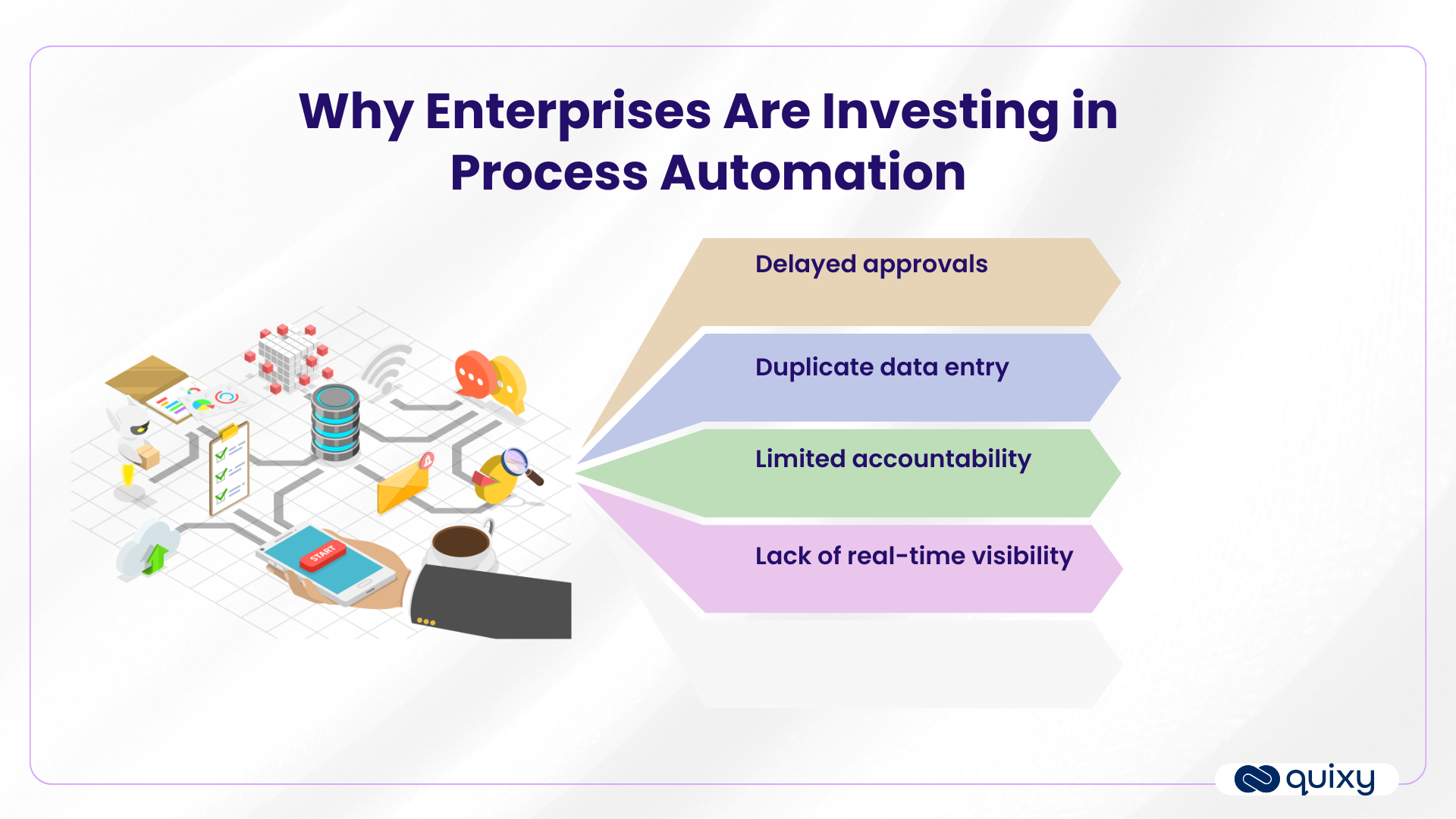
Manual processes often create challenges such as:
- Delayed approvals
- Duplicate data entry
- Limited accountability
- Lack of real-time visibility
To overcome these challenges, many organizations are implementing enterprise workflow automation solutions for digital transformation initiatives. Automation helps standardize processes across departments while ensuring tasks are completed faster and with greater accuracy.
For enterprises, automation is no longer just an operational improvement project. It has become a critical component of broader digital transformation strategies aimed at creating agile, data-driven organizations.
This shift is further supported by recent business process management statistics, which indicate that organizations are increasingly investing in workflow automation and process optimization to improve operational efficiency.
When implemented effectively, automation enables teams to focus on higher-value work instead of repetitive administrative tasks.

Key Features to Look for in Enterprise Automation Software
Choosing the right platform requires more than evaluating a list of features. Enterprises need solutions that can support complex workflows, large user bases, and evolving business requirements.
Low-Code and No-Code Development Capabilities
One of the most important capabilities in modern automation platforms is low-code automation.
Enterprise teams often need the ability to build, modify, and deploy workflows quickly without waiting for extensive development cycles. Platforms that support BPM software with low-code capabilities allow both business and IT teams to collaborate more effectively. For example, solutions such as Quixy enable organizations to build and automate workflows with minimal coding effort, helping accelerate process digitization across departments.
In addition, a robust no-code workflow builder enables non-technical users to design workflows through intuitive drag-and-drop interfaces.
Key benefits include:
- Faster implementation
- Reduced IT dependency
- Greater process agility
- Improved business ownership
As automation initiatives expand across departments, low-code and no-code capabilities can significantly accelerate adoption.
Workflow Management and Process Orchestration
Automation should extend beyond simple task automation.
Enterprises often require workflows that span multiple departments, applications, and approval stages. This is where process orchestration becomes essential.
Process orchestration helps coordinate tasks, systems, and stakeholders within a unified workflow environment.
Organizations should also look for strong enterprise workflow management capabilities such as:
- Workflow version control
- Approval hierarchies
- SLA monitoring
- Escalation rules
- Audit trails
These features help maintain consistency and governance across enterprise-wide operations.
Integration and Scalability
Enterprise environments rely on multiple business systems, including ERP, CRM, HR, finance, and customer support platforms.
As a result, integration capabilities are often one of the most important evaluation criteria.
Leading solutions provide enterprise workflow automation with integrations that allow seamless data exchange between systems.
Organizations should evaluate:
- API support
- Prebuilt connectors
- Third-party integrations
- Data synchronization capabilities
Scalability is equally important. The platform should be able to support thousands of users, multiple business units, and growing workflow volumes without performance issues.
AI-Powered Automation
Artificial intelligence is increasingly influencing how organizations automate processes.
Modern AI-powered bpm software can help enterprises improve efficiency by:
- Automating document processing
- Classifying requests automatically
- Identifying workflow bottlenecks
- Predicting delays
- Recommending process improvements
AI capabilities are becoming particularly valuable for organizations seeking continuous optimization rather than one-time automation projects.
Security and Governance
Security remains a top priority for enterprise buyers.
A reliable bpm workflow automation solution should provide:
- Role-based access controls
- Audit logs
- Data encryption
- Compliance reporting
- Single sign-on support
- User activity tracking
These capabilities help organizations maintain governance while meeting regulatory requirements.
Benefits of Business Process Automation for Large Enterprises
The benefits of automation extend far beyond operational efficiency.
The benefits of automation extend far beyond operational efficiency. Organizations that successfully implement Business Process Automation Software for Enterprises often experience measurable improvements across multiple business areas. These outcomes closely align with the key benefits of business process management, including improved efficiency, greater visibility, and enhanced operational control.
Increased Productivity
Employees spend less time on repetitive administrative work and more time on strategic activities.
Automation can reduce effort associated with:
- Data entry
- Approval follow-ups
- Status tracking
- Manual reporting
This allows teams to focus on work that contributes directly to business outcomes.
Faster Process Execution
Automated workflows remove delays caused by manual handoffs and approval bottlenecks.
Enterprises often see improvements in:
- Employee onboarding
- Procurement approvals
- Vendor management
- Service request fulfillment
- Contract processing
Faster workflows contribute to better operational performance and improved stakeholder satisfaction.
Improved Process Visibility
One of the biggest challenges in enterprise operations is limited visibility into workflow performance.
Automation platforms provide centralized dashboards that help leaders monitor:
- Workflow status
- Approval timelines
- Bottlenecks
- SLA compliance
- Process performance trends
This visibility enables more informed decision-making.
Better Compliance and Risk Management
Standardized workflows reduce the risk of process deviations and human error.
- Organizations benefit from:
- Consistent execution
- Audit readiness
- Regulatory compliance
- Improved accountability
This is particularly important in highly regulated industries.
Reduced Operational Costs
By reducing manual effort and minimizing process inefficiencies, automation can help enterprises lower operating costs over time.
Savings often come from:
- Reduced administrative workload
- Fewer process errors
- Faster turnaround times
- Better resource utilization
Comparison Criteria for Enterprise Automation Platforms
Organizations evaluating the best bpm software for large enterprises should focus on practical business requirements rather than feature volume alone.
The following framework can help decision-makers compare solutions effectively.
| Evaluation Area | What Enterprises Should Assess |
| Ease of Use | Workflow design experience, user adoption, learning curve |
| Scalability | Ability to support enterprise-wide deployment |
| Integrations | ERP, CRM, HRMS, finance, and third-party connectivity |
| Security | Compliance controls, encryption, audit capabilities |
| Analytics | Reporting, dashboards, workflow insights |
| Customization | Ability to adapt workflows to business requirements |
| Governance | Access controls, workflow oversight, process standardization |
| Support | Training, documentation, implementation assistance |
A structured comparison approach helps organizations identify the most suitable enterprise process automation platform based on their operational goals.
How to Choose Business Process Automation Software
Many organizations focus heavily on features but overlook strategic evaluation criteria.
If you are evaluating how to choose business process management automation software, consider the following approach.
Define Business Goals First
Before evaluating vendors, identify:
- Process inefficiencies
- Automation priorities
- Desired business outcomes
- Success metrics
Clear objectives help ensure technology investments align with organizational needs.
Assess Integration Requirements
The effectiveness of automation often depends on how well the platform integrates with existing systems.
Organizations should map:
- Data sources
- Existing applications
- Workflow dependencies
- System connectivity requirements
Involve Business and IT Stakeholders
Successful automation initiatives require collaboration across departments.
Include stakeholders from:
- Operations
- Finance
- Human resources
- Compliance
- IT
- Procurement
Cross-functional involvement improves platform selection and user adoption.
Prioritize Long-Term Scalability
Automation needs often expand after initial deployment.
Organizations should choose solutions capable of supporting future growth, additional workflows, and increasing user volumes.
Evaluate Governance and Security
Governance should not be an afterthought.
Ensure the platform supports enterprise-level security, compliance, and workflow oversight requirements.
Common Enterprise Use Cases for Workflow Automation
Automation can create value across nearly every business function. From HR and finance to IT and compliance, organizations continue to adopt automation across a wide range of processes, similar to many real-world business process management examples seen across modern enterprises.
Human Resources
Common HR automation use cases include:
- Employee onboarding
- Leave approvals
- Recruitment workflowsPerformance review processes
Finance and Procurement
Automation can simplify:
- Invoice approvals
- Expense management
- Purchase requests
- Vendor onboarding
IT Operations
IT teams often automate:
- Service requests
- Access provisioning
- Incident management
- Asset tracking
Compliance and Legal
Organizations use automation to manage:
- Policy approvals
- Compliance audits
- Contract reviews
- Regulatory documentation
Customer Operations
Customer-focused workflows often include:
- Service request management
- Customer onboarding
- Escalation processes
- Support ticket routing
These use cases demonstrate how business workflow automation software can support efficiency improvements across the enterprise.
Conclusion
Selecting the right Business Process Automation Software for Enterprises requires a careful evaluation of business needs, scalability requirements, integration capabilities, governance standards, and long-term operational goals.
The best bpm automation software is not necessarily the platform with the most features—it is the one that aligns with organizational workflows, supports enterprise growth, and enables sustainable process improvement. Whether organizations are seeking advanced intelligent workflow automation software, stronger enterprise workflow management tools, or greater process orchestration capabilities, the focus should remain on solving real business challenges.
As enterprises continue modernizing operations, automation will remain a critical enabler of efficiency, agility, and long-term business success.
Frequently Asked Questions
What is business process automation software?
Business Process Automation Software for Enterprises is a platform that automates repetitive workflows, approvals, and business processes across departments, helping organizations improve efficiency, compliance, and operational visibility.
How does business process automation work?
Automation platforms use predefined business rules, workflow logic, integrations, and approvals to execute processes automatically. Tasks move between stakeholders based on configured conditions, reducing manual intervention.
Can enterprises automate workflows without coding?
Yes. Many modern solutions offer a no-code workflow builder and low-code automate capabilities, enabling business users to design workflows with minimal technical expertise.
What should enterprises look for in an automation platform?
Organizations should evaluate scalability, integrations, governance, analytics, security, workflow flexibility, and support capabilities before making a decision.
Why is automation important for digital transformation?
Automation helps organizations improve efficiency, streamline operations, enhance visibility, and support broader digital transformation initiatives by reducing manual processes and enabling data-driven operations.


Recent Posts







- Download the App